21
7
SET MODE
New2001
7
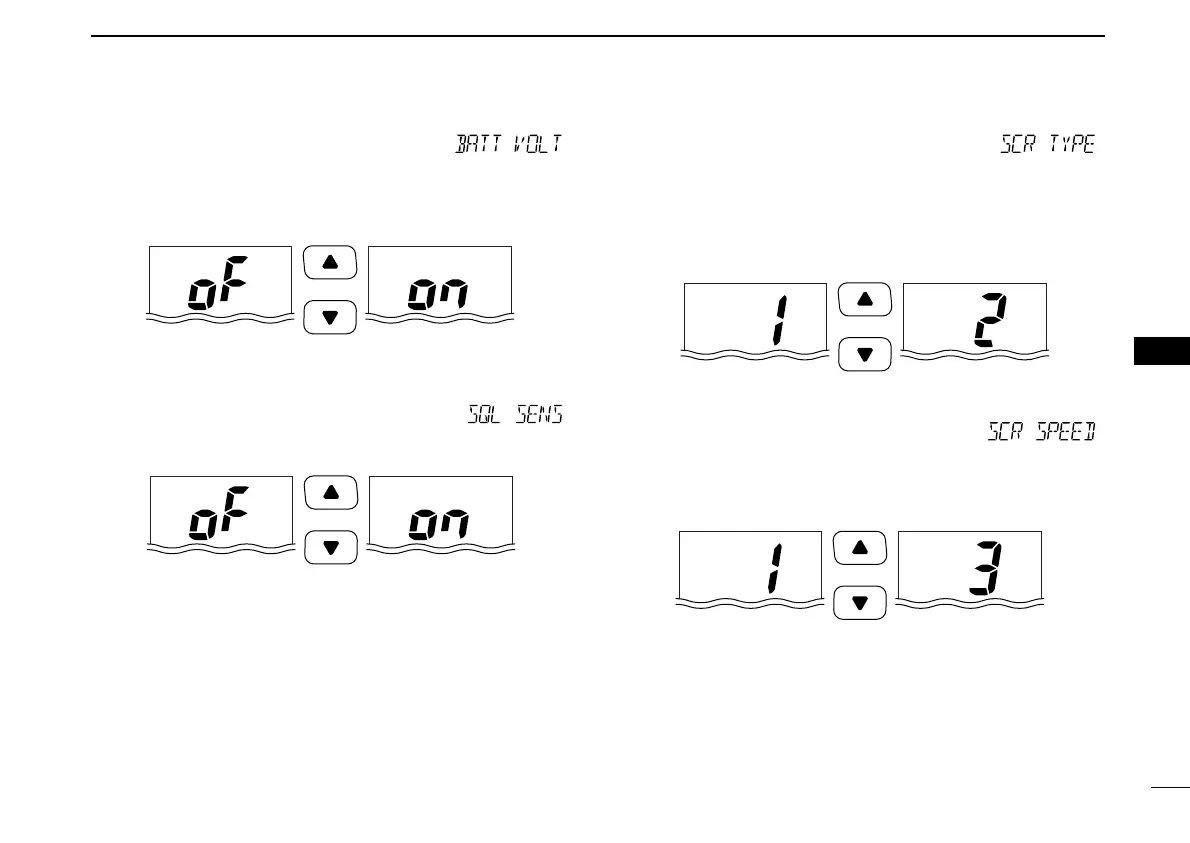
D Battery voltage indicator “”
This function controls display or non-display settings of the
connected battery pack’s voltage when the power is ON.
• The voltage of the connected battery pack is displayed for 2 sec.
after power is turned ON.
D Squelch sensitivity function “”
When this function is turned ON (local), blocking against noise
is improved and the squelch is not easily affected by noise.
D Channel name scroll type “”
Selects the channel name/comment scroll type from 1 and 2.
• 1: The first 7 characters are displayed for 1 sec. (approx.) then
scrolls. When the channel name/comment is 7 character or less,
it does not scroll (default).
• 2: The channel name/comment scrolls regardless of the number of
characters after no name/comment (blank) is indicated for 1 sec.
D Scrolling speed “”
Selects the channel name/comment scroll speed.
• 1: Scrolls 3.33 characters in a second.
• 2: Scrolls 2.5 characters in a second.
• 3: Scrolls 2 characters in a second.
Push
Scroll speed 1 Scroll speed 3
Push
Scroll type 1 (default) Scroll type 2
Push
Squelch sensitivity
OFF (default)
Squelch sensitivity
ON
Push
Voltage indication
OFF (default)
Voltage indication ON
IC-M72_1.qxd 06.1.11 18:19 Page 21 (1,1)



 To Next Page