基本操作 3
18
1
7
4
10
15
18
2
8
13
5
11
16
3
9
14
6
12
17
基础手册
■ 家频道功能
您可以在
VFO 模式、Memory 模式和 DR 屏幕中将常用
频率、Memory 频道或中继器设置为 Home Channel。
当通过旋转 [DIAL] 选择 Home CH 时,会发出哔声。 您
无需查看显示屏即可知道 Home CH 选择。
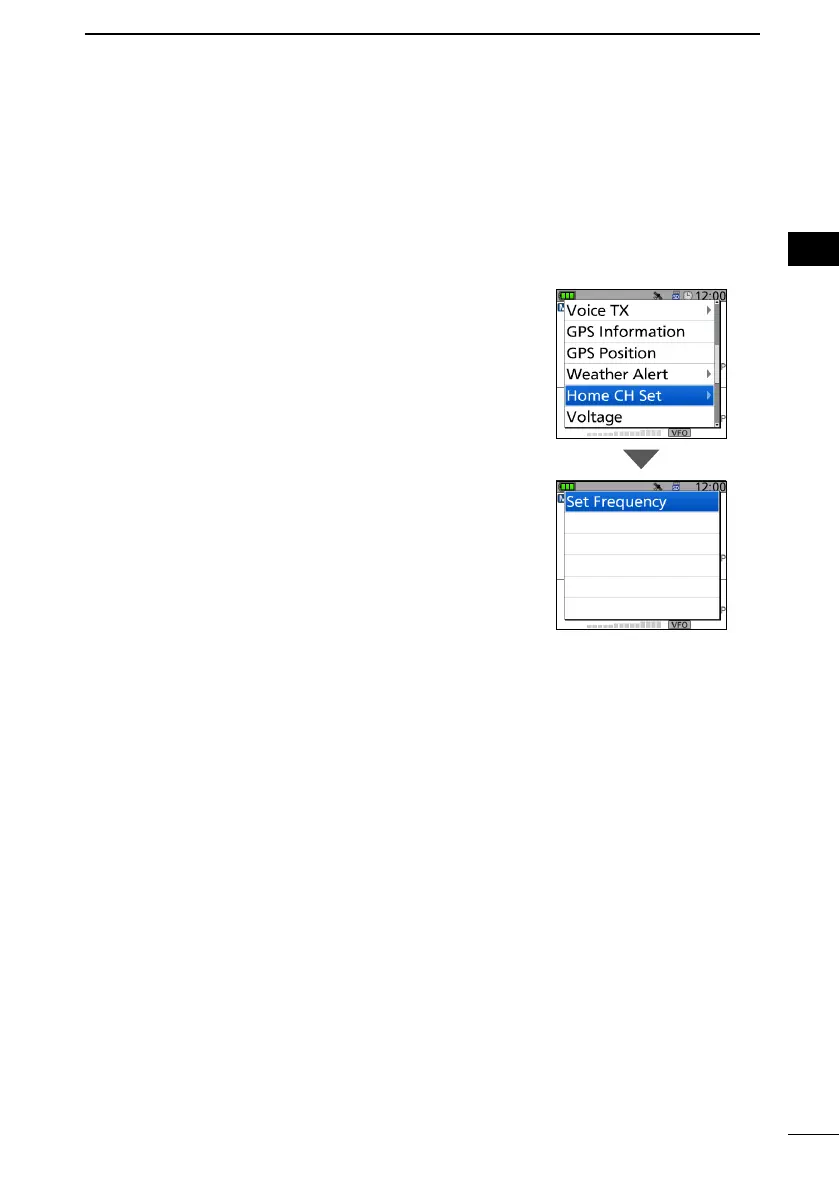
D 设置家频道
1. Select the VFO or Memory mode, or the DR screen to
set a Home Channel. (p. 14)
2. Select a frequency, Memory channel, or an access
repeater to be set as a Home Channel. (p. 16)
3. Push [QUICK].
4. Select “Home CH Set.”
5. Select “Set Frequency” (VFO mode), “Set Channel”
(Memory mode), or “Set Repeater” (DR screen).
• Sets a Home Channel, then returns to the standby
screen.



 To Next Page