菜单界面 4
22
1
7
4
10
15
18
2
8
13
5
11
16
3
9
14
6
12
17
基础手册
D
选择菜单项
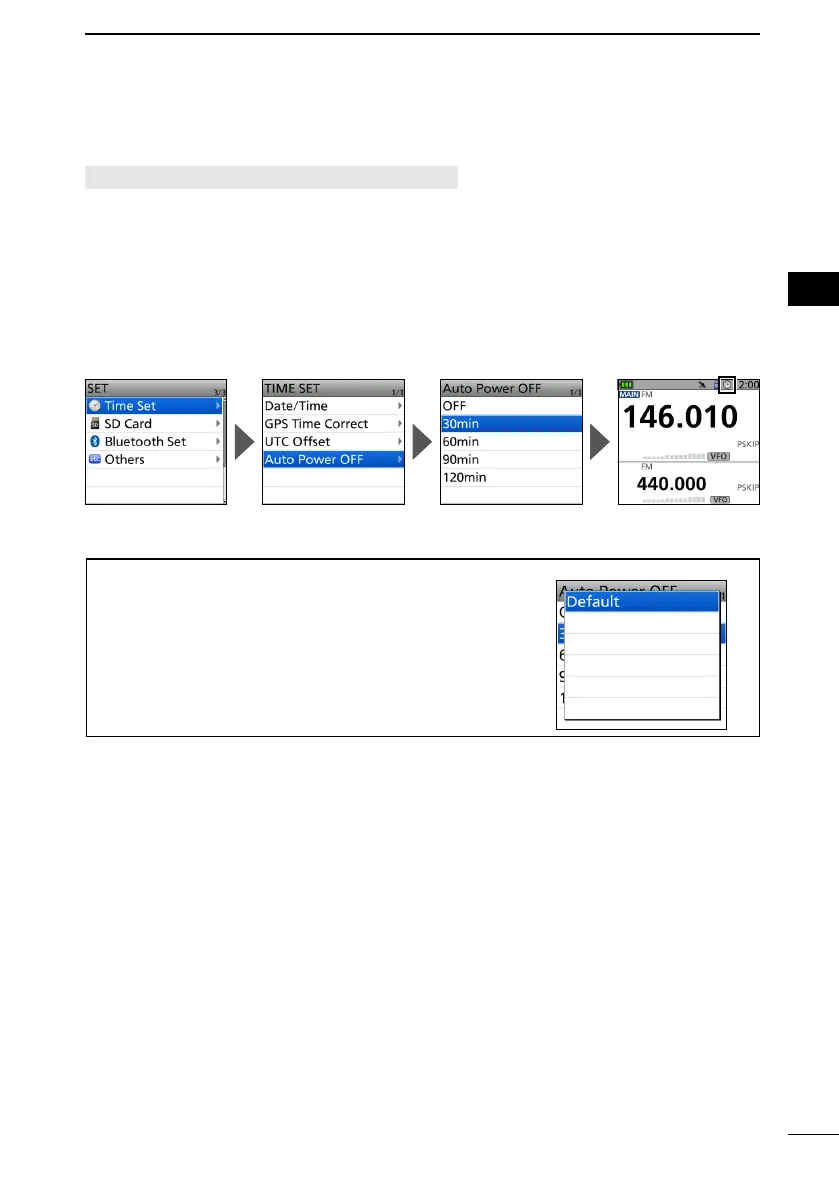
例如: 设置“自动关机” 为 “30 分钟.”
[MENU] > SET > Time Set > Auto Power OFF
1. Push [MENU].
2. Select “SET.”
3. Select “Time Set.”
4. Select “Auto Power OFF.”
5. Select “30min.”
• Sets the option, then goes back to a tree level. (The TIME SET screen is displayed.)
L To exit the MENU screen, push [MENU].
提示:返回默认设置
1. Push [QUICK] in step 5.
2. Select “Default.”
• The setting returns to the default.
L
每个项目的默认设置在高级手册中都有描述。
自动关机图标显示。



 To Next Page