29
7
GPS 操作
注意: 如果无法接收来自 GPS 卫星的信号,内置 GPS 接收器将无法计算其位置。 有关
详细信息,请参阅第
iv 页。
■ 查看您的位置
您可以查看您当前的位置。
如果您在显示 GPS POSITION 屏幕时发射,屏幕会关闭。
要在传输时查看您当前的位置或来电者的位置,请按 [QUICK],然后选择
“GPS
Position”。
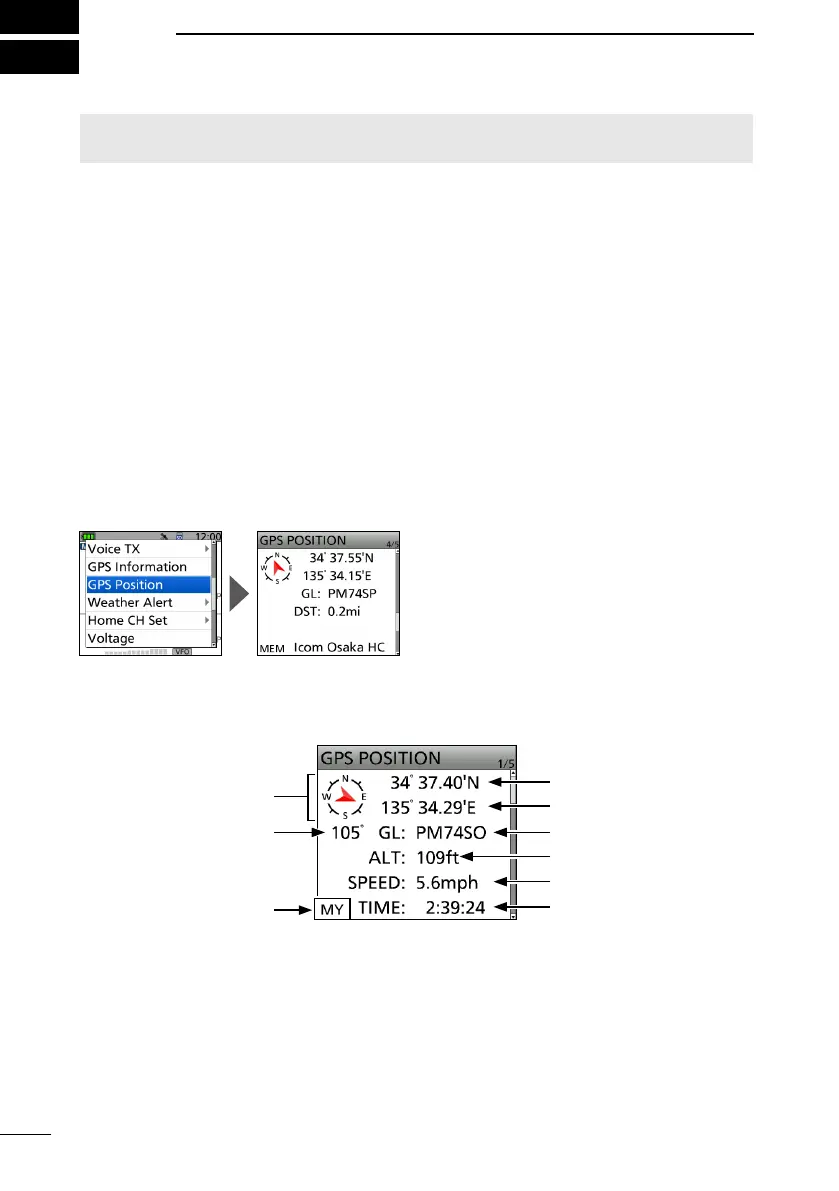
D 显示位置数据
1. Confirm the GPS icon is displayed.
2. Push [QUICK].
3. Select “GPS Position.”
• The GPS POSITION screen is displayed.
4. Push D-pad().
• Changes between the MY (My position), RX (Received position), MEM (GPS Memory
position), and ALM (GPS Alarm position) screen.
5. Push [CLR].
• Returns to the standby screen.
纬度
经度
高度
时间
罗盘方向
航向
我的位置
航速
网格
(例如: 显示 GPS 记忆位置
)
关于 GPS 位置界面



 To Next Page