2-2 Diagnostic Utilities
Diagnostic Utilities
Introduction
The ICONIA TAB B1-A71 has a software tool designed to diagnose problems with its hardware
components.
Diagnostic Tool SOP
Preparation
• Diagnostic Tool
• USB Driver for PC
• USB cable
• Micro SD card
Tool Installation
1. Install the USB driver in a PC/NB.
2. Connect the device to the PC/NB using a USB cable.
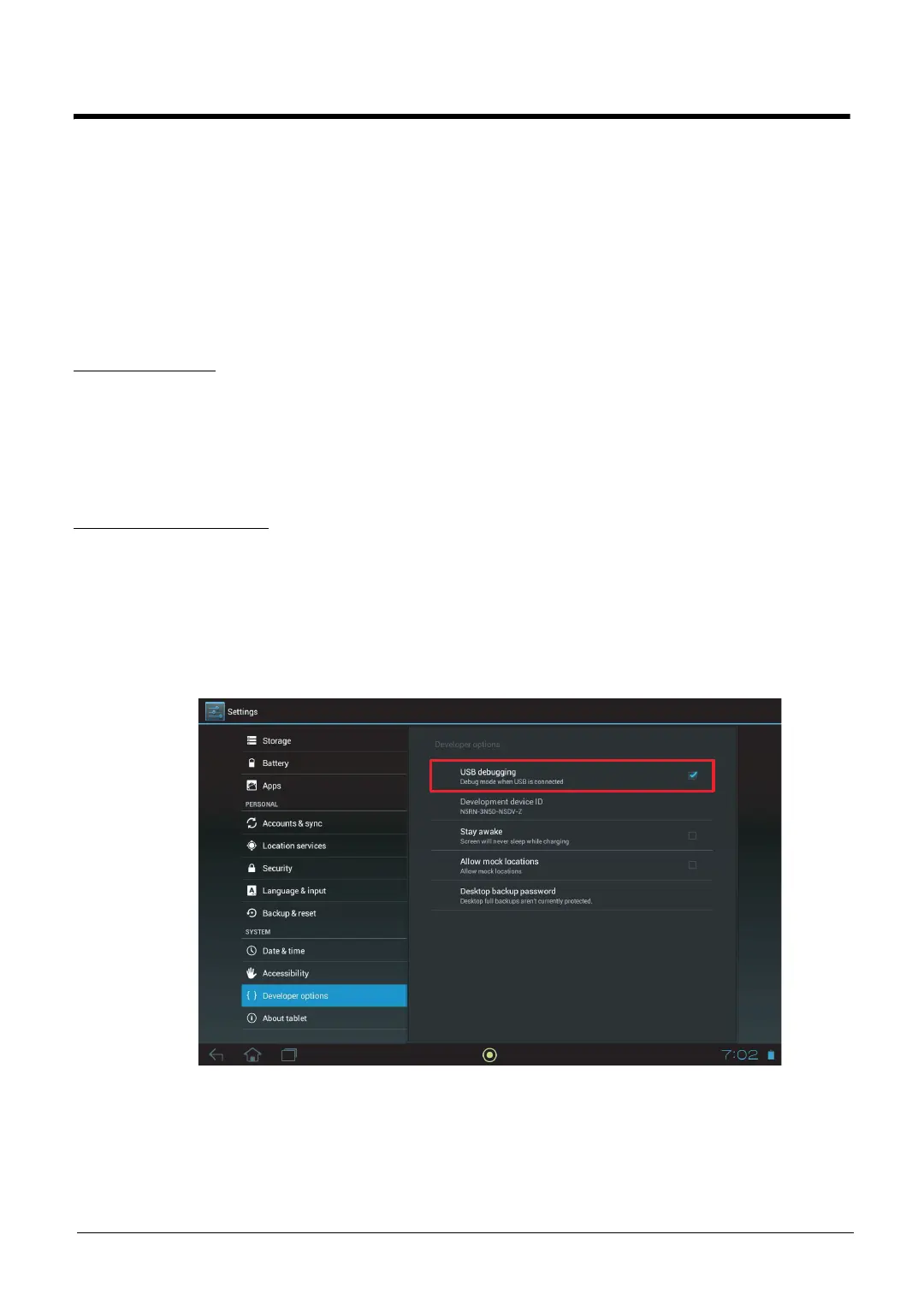
3. Enable USB debugging on the device (Settings → System → Developer options →
USB debugging).
Figure 2-1. USB Debugging Mode
4. On the PC/NB, unzip VSJEVACTPV001.zip.
5. Add the current directory to windows class path.



 To Next Page