Service and Maintenance 5-28
Mainboard Installation
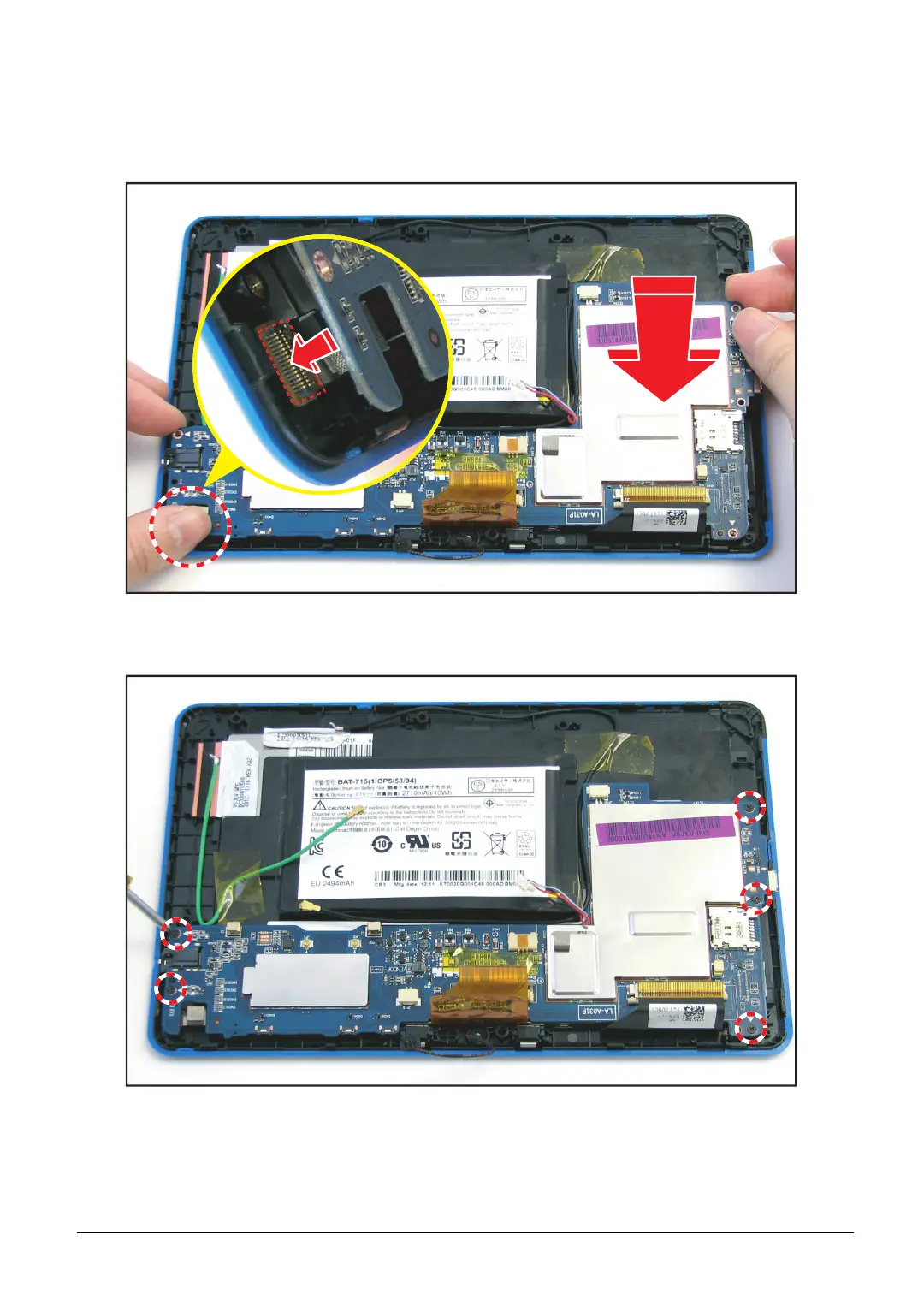
1. Align the mainboard and connect the camera connector to the mainboard connector.
TIP: Make sure that no cable is placed under the mainboard.
Figure 5-40. Connecting the Camera Connector
2. Attach the five (5) screws to secure the mainboard to the bezel.
Figure 5-41. Securing the Mainboard Screws



 To Next Page