5-29 Service and Maintenance
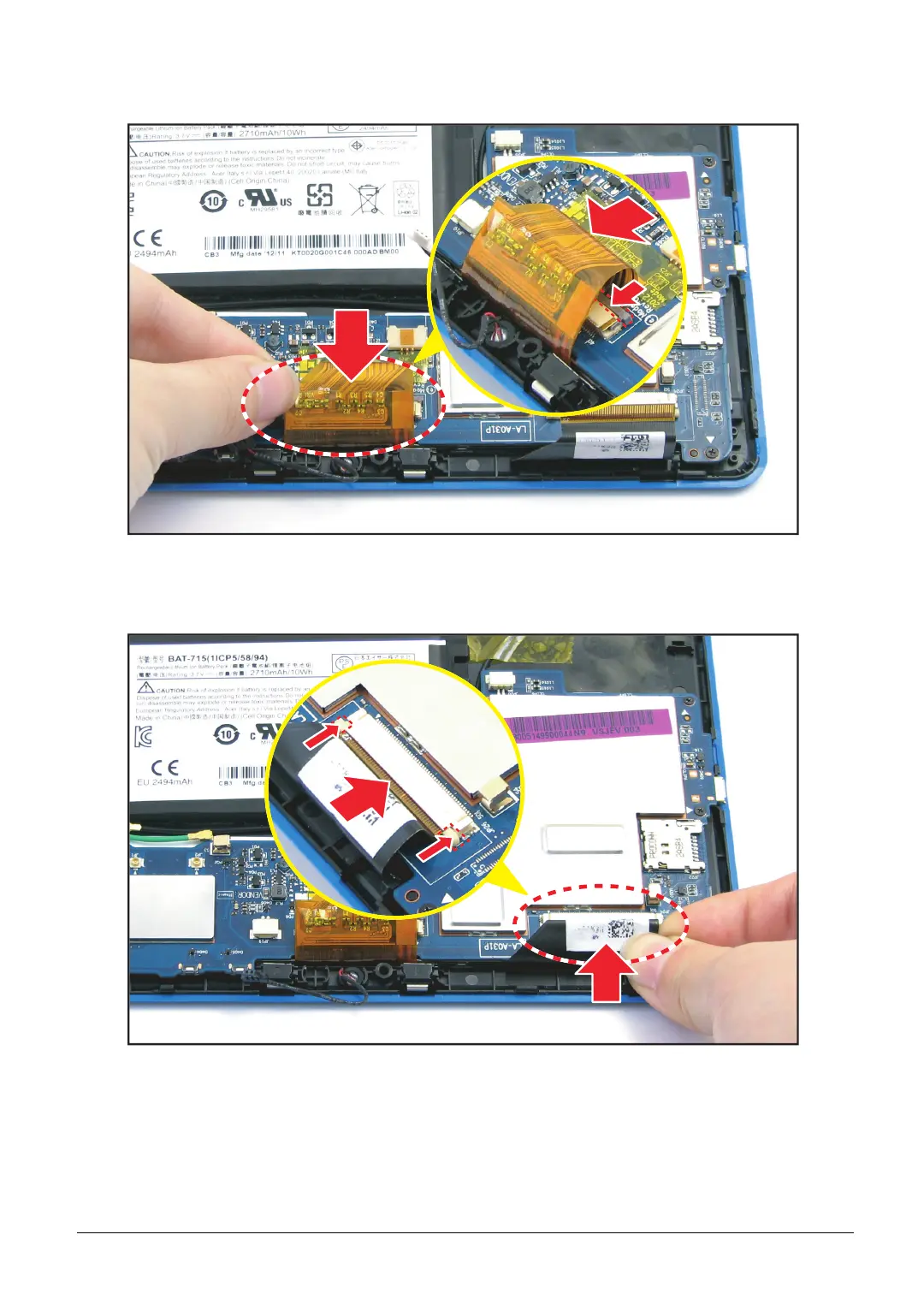
3. With the connector pin outwards, connect the LCD panel cable into the mainboard connector
and then push the pin to lock.
Figure 5-42. Connecting the LCD Panel Cable
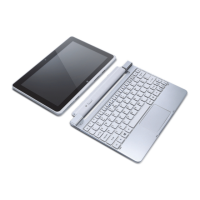
4. With the connector pin outwards, connect the touch control cable to the mainboard connector
and then push the pin to lock.
Figure 5-43. Connecting the Touch Control Cable



 To Next Page