Diagnostic Utilities 2-9
Uninstallation Procedures
The diagnostic tool MUST be uninstalled once testing is done.
IMPORTANT:
DO NOT distribute this tool outside the service center.
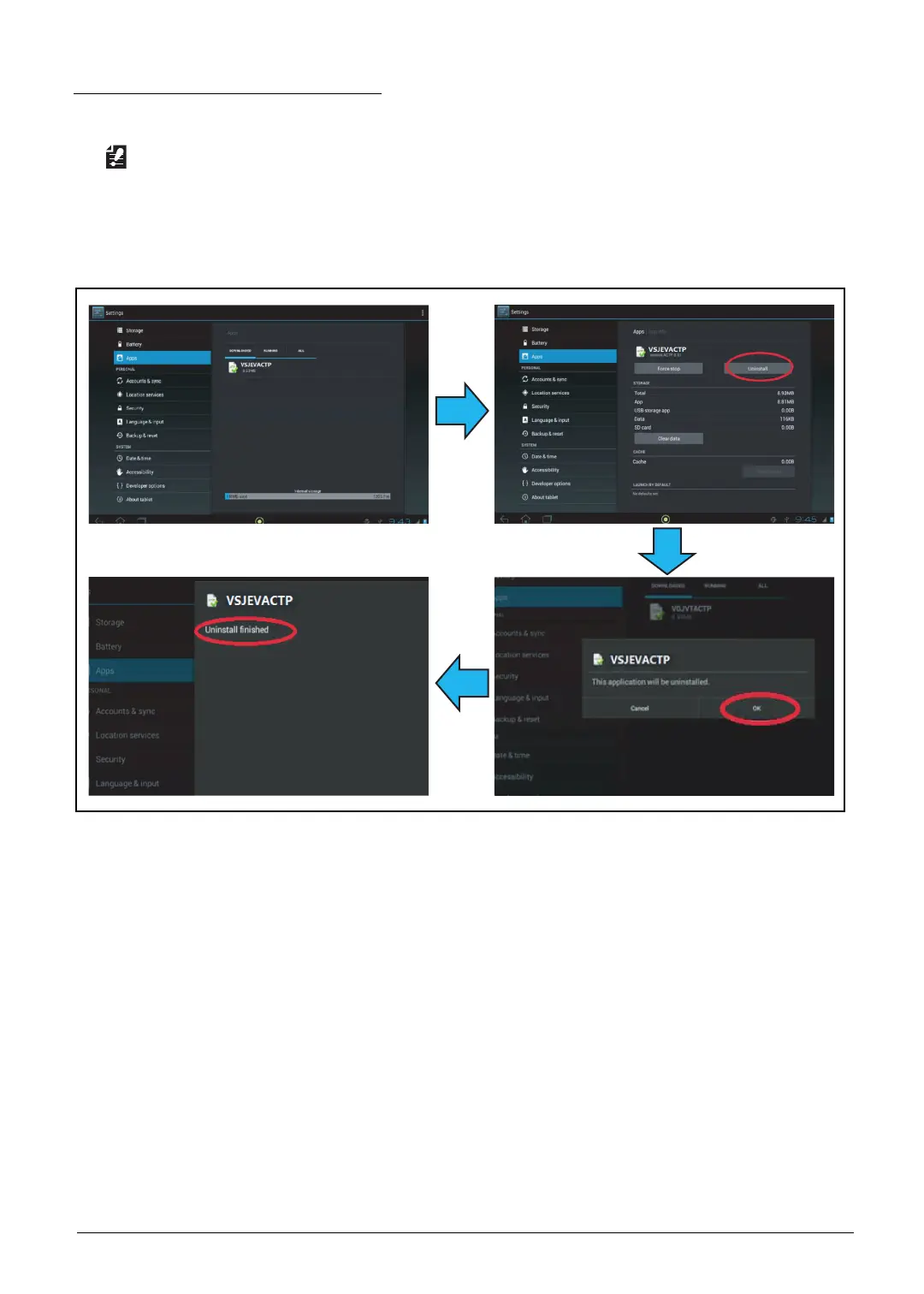
1. On the device, go to Settings → Apps. Tap the VSJEVACTP icon.
2. Tap Uninstall, and then tap OK to confirm. The Uninstall finished message appears.
Figure 2-13. Uninstalling the Tool



 To Next Page