5-43 Service and Maintenance
Battery Installation
1. Install the mainboard (see Mainboard Installation on page 5-28).
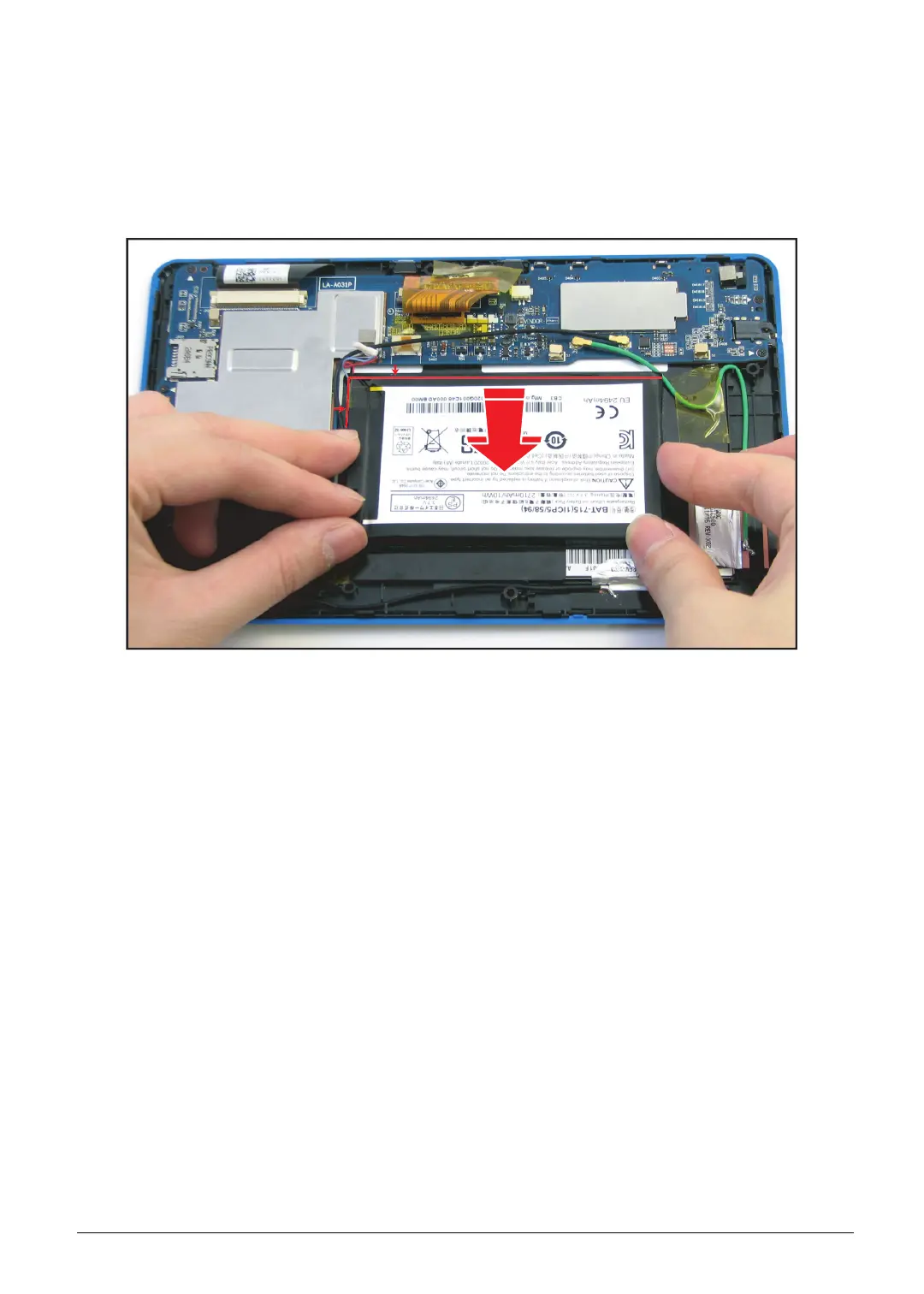
2. Peel off the sheet covering the adhesives underneath the battery.
3. Align and place the battery on the bezel.
Figure 5-62. Installing the Battery
4. Install the lower case (see Lower Case Installation on page 5-14).
5. The installed battery may be discharged, make sure to plug the AC adapter when testing the
device.



 To Next Page