APPENDIX ”F” – ITERM – TERMINAL EMULATION PROGRAM
IDRONAUT – Brugherio (MB) OCEAN SEVEN 310 CTD 01-2019
Edit->CopySelectionToClipBoard
This function copies the selected text to the Windows Operating system clipboard buffer.
Edit->Clear window
This function clears the ITERM window.
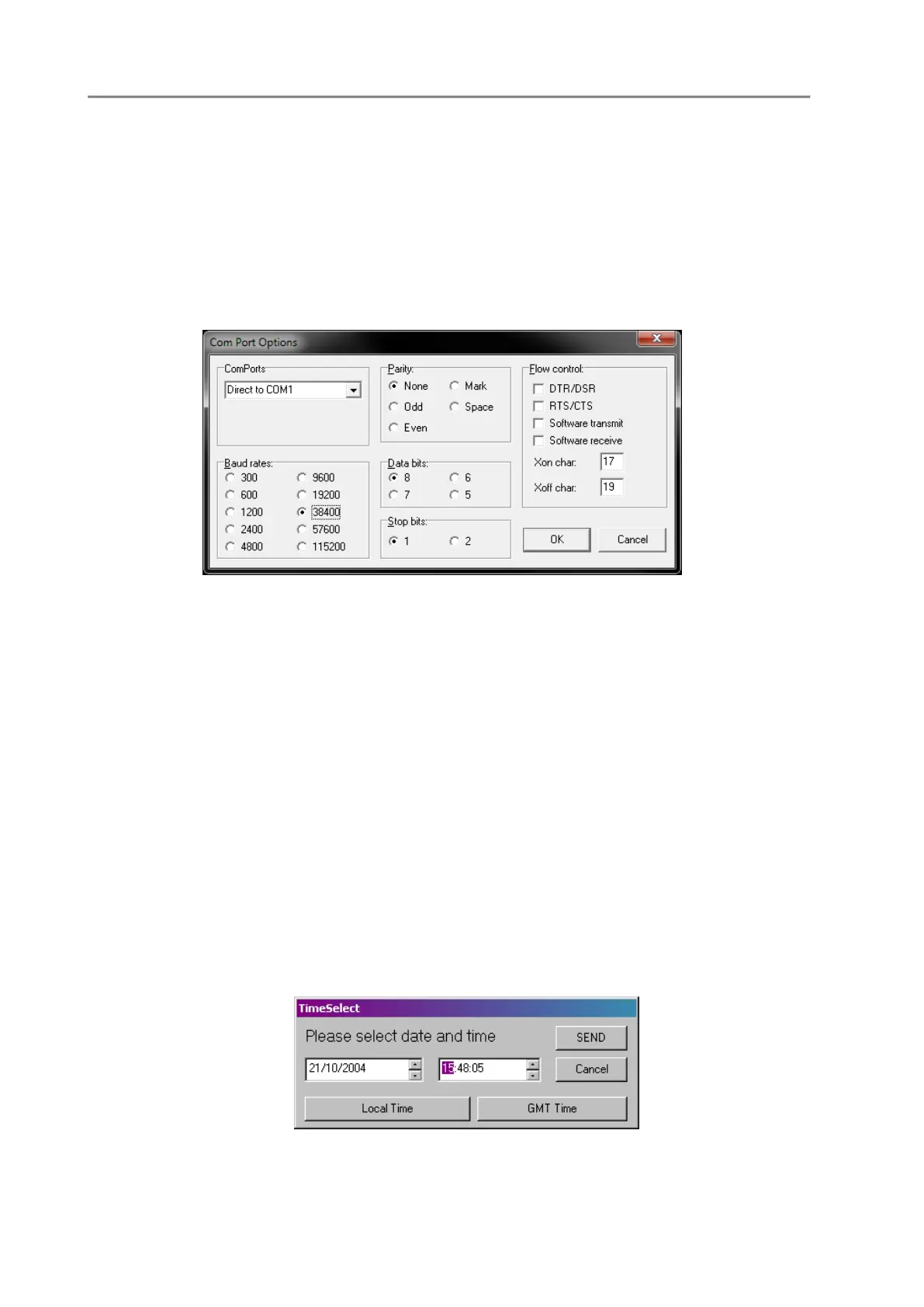
Port->Set parameters
This function allows the operator to set and define the communication port parameters. Default values
for the OCEAN SEVEN 310 probe are: 38400bps, 8bit data, 1stop bit, No parity, Hardware hand
checking: CTS/RTS.
Port->Close
It closes the communication port thus allowing the port configuration. When the port is closed, this
command becomes “Open”.
Probe->Identify
It identifies the connected probe; information like the serial number, the hardware and firmware release
is shown on screen in the ITERM program status and title bar. This function must be performed before
running any function in the probe menu and is particularly useful to also switch the probe from “non
verbose” mode to “verbose” mode. At the end of the probe identification, the probe Main Menu is
shown on the PC screen.
Probe->Upgrade
This function cannot be used with the OCEAN SEVEN 310 probe.
Probe->Set Time
This function sets up probe time and date. It is possible to select the new probe time among: GMT, local
time or customized date and time.



 To Next Page