the probe memory cast by cast. Uploaded data is stored in text files, a file for each cast.
Aspect->Font
This function allows the operator to decide the type of font to use to show messages on the terminal
window.
Aspect->Colour
This function allows the operator to select the foreground and background colours among a list of
possible choices.
Transfer->SendTextFile
It allows the operator to transfer a text file to the probe connected through the serial port.
Transfer->CaptureToFile
This function captures the characters received and sent through the serial port to a text file. The operator
can select the file name and folder. Invoking this function, once ITERM is capturing, the character stops
capturing and returns to the standard operations.
Help->Contents
It shows this help file.
Help->About
It shows notice about ITERM programme release.
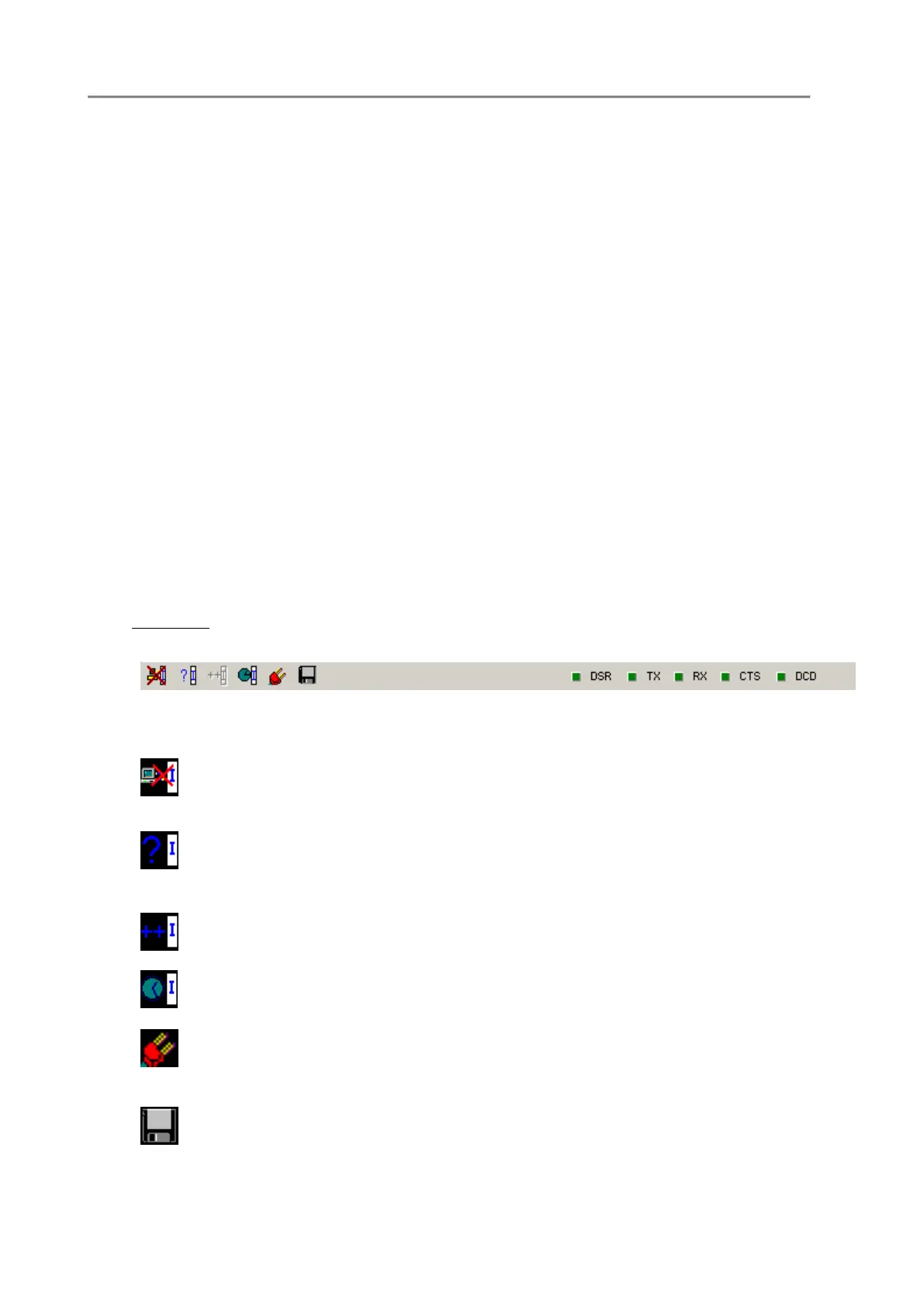
F.4 TOOLBAR
On the programme toolbar, there are the shortcuts to the programme functions.
Disconnects the communication port and frees the port for other programmes or allows
the communication port parameter modifications.
Detects and identifies the connected OCEAN SEVEN 3xx probe type. At the end of the
identification on the status and title bar of the programme, the information about the
connected probe appears.
Not available for the OCEAN SEVEN 310.
Sets the connected probe time and date, according to the PC or customized settings.
Accesses the communication port parameter set-up.
Captures transmissions from the connected probe and keyboard and types and stores them
in the selected text file. A red cross appears over the icon when running. Pressing it once
stops the capture and closes the text file.



 To Next Page