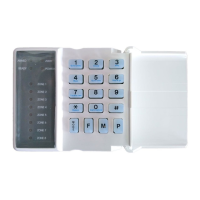
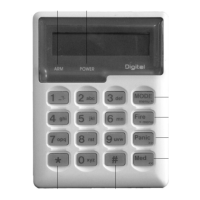
3. To select menu option 4 – „Delete Slot‟, press the [4] key, or alternatively use the [PANIC] or
[MED] keys to scroll through the list of programmable options until you reach the option you
want.
4. Press the [*] key.
5. The LCD display reads „Slot + *‟.
6. Enter the [SLOT NUMBER] for the User Code you wish to delete followed by the [*] key.
7. Further User Codes may be deleted by repeating step 5.
8. Press the [#] key to exit User Program Mode.
8.3.6 Option 5 - View a User Code Slot Number
[*] [MASTER CODE] [*] [5] [*] [USER CODE] [*] [#]
1. Enter the User Program Mode as per steps 1 - 4 of section 8.2.
2. The LCD display reads „Option Menu‟, „Add User Code‟.
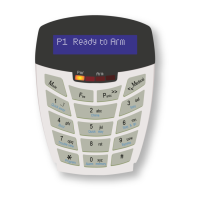
3. To select menu option 5 – „View Slot‟, press the [5] key or alternatively use the [PANIC] or [MED]
keys to scroll through the list of programmable options until you reach Menu Option 5. Press the
[*] key.
4. The LCD display reads „User Code + *‟.
5. Enter the [USER CODE] followed by the [*] key, the slot number is displayed on the keypad.
6. Further slot numbers may be viewed by repeating step 5.
7. Press the [#] key to exit the User Program Mode.
8.3.7 Option 10 - User Code Properties
[*] [MASTER CODE] [*] [1] [0] [*] [USER CODE] [*] [PROPERTY NUMBER] [*] [*] [#]
1. Enter the User Program Mode as per steps 1 - 4 of section 8.2.
2. The LCD display reads „Option Menu‟, „Add User Code‟.
3. To select menu option 10 – „Code Properties‟, press the [1] [0] keys or alternatively use the
[PANIC] or [MED] keys to scroll through the list of programmable options until you reach the
option you want.
4. Press the [*] key.
5. The LCD display reads „User Code + *‟.
6. Enter the [USER CODE] followed by the [*] key.
7. Enter the [PROPERTY NUMBER] followed by the [*] key, or use the [PANIC] or [MED] keys to
scroll through the User Options that can be assigned to a user.
8. Pressing the [*] key toggles between [Y] and [N] for the selected user option.
9. Press the [#] key twice to exit User Program Mode.
EXAMPLE:
To enable a User Code to function as a duress code, when prompted for the option press the [2] key
followed by the [*] key.


 To Next Page