are disarmed and others armed, entering this group code at the keypad of the armed partition will disarm
the armed partitions only.
8.3.7.6 Global Arm / Disarm Code
This code will either arm or disarm the partitions assigned to that user depending on their status. If both
partitions are disarmed, entering a global code will arm both partitions. If more than one partition is
armed, entering a global code will disarm them. In the case where one partition is armed and another is
disarmed, entering a global code at the keypad of the armed partition will disarm that partition and
entering a global code at the keypad of the disarmed partition will arm that partition.
8.3.7.7 Programmable Output Code
Any event, which is able to trigger a programmable output, can be assigned to an output number from 1
to 41. Assigning an event to outputs 1 to 5 will use the panel‟s onboard outputs 1 to 5. Assigning an
event to outputs 6 to 25 will use an output on a zone expander or keypad.
8.3.8 Option 11 - Assign User Code to Partitions
[*] [MASTER CODE] [*] [1] [1] [*] [USER CODE] [*] [PARTITION NUMBER] [*] [*] [#]
1. Enter the User Program Mode as per steps 1 - 4 of section 8.2.
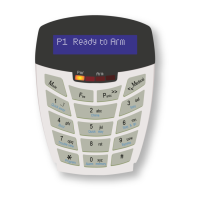
2. The LCD display reads „Option Menu‟, „Add User Code‟.
3. To select menu option 11 – „User ->Partitions‟, press the [1] [1] keys or alternatively use the
[PANIC] or [MED] keys to scroll through the list of programmable options until you reach the
option you want.
4. Press the [*] key.
5. The LCD display reads „User Code + *‟.
6. Enter the [USER CODE] followed by the [*] key.
7. The partitions to which the [USER CODE] is assigned are indicated by options 1 - 8. If the user is
assigned to partition 1, there will be a YES next to option 1 and the user can thus arm and disarm
partition 1. If the user is assigned to partition 4, there will be a YES next to option 4. It is possible
to program codes to arm/disarm any combination of the available partitions.
8. Enter the [PARTITION NUMBER] followed by the [*] key. One may also use the [PANIC] and
[MED] keys to scroll through the partitions.
9. Press the [*] key to toggle between YES and NO.
10. Repeat steps 8 - 9 until the User Code has been assigned to the correct partition(s).
11. Press the [#] key twice to exit the User Program Mode.
8.3.9 Option 13 – User Outputs
[*] [MASTER CODE] [*] [1] [3] [*] [USER CODE] [*] [OUTPUT No] [*] [OUTPUT ACTION] [*] [#]
1. Enter the User Program Mode as per steps 1 - 4 of section 8.2.
2. The LCD display reads „Option Menu‟, „Add User Code‟.
3. To select menu option 13 –„User Outputs‟, press the [1] [3] keys or alternatively use the [PANIC]
or [MED] keys to scroll through the list of programmable options until you reach the option you
want.
4. Press the [*] key.


 To Next Page