101-091 17
FGR006 – Version 3.0
–
FGR006 FINGERPRINT & PROXIMITY READER
6.3.1 User Card Registration.
When registering a fingerprint you must present it twice.
Present a proximity card to the FGR006
Put you finger on the scanner when the red scanner light is illuminated, when the scanner light goes
out remove your finger and then put the scanner finger back on when the scanner light is
illuminated again.
It beeps 3 times when the registration is completed.
Add additional fingerprints the same as above.
After registration is complete present the master card again to toggle the reader from registration
mode to reader mode.
It will beep 2 times when a registration error occurs.
6.3.2 User Card Deletion
Present proximity card to the FGR006
It beeps 4 times when the deletion is completed.
After deletion present proximity master card again, and it is changed to reader mode.
It beeps 2 times when the deletion is error.
6.4 Auto match Function (OPTION 1)
This function operates in the Reader mode.
User can be verified with Fingerprint template only. (No card necessary)
Sensor will be activated automatically when user places their registered finger on fingerprint scanner.
CAUTION: This function will ONLY be available when the number of users is less than 100
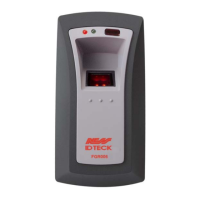
If your fingerprint is authorized the FGR006 will turn on the lens led (upper light) and make a beep
sound for a second and will send your card ID to the access controller.
If your fingerprint is not authorized then FGR006 will make 2 beep sounds and
generate finger error signal for 500ms of low active pulse. (Only available when your FGR006
is set to 26bit Wiegand output)


 To Next Page