101-091 2
FGR006 – Version 3.0
–
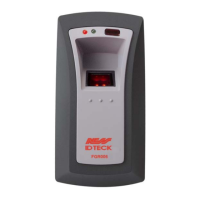
FGR006 FINGERPRINT & PROXIMITY READER
CONTENTS
1. Important Safety Instructions
2. Introduction
2.1 Identifying Supplied Parts
2.2 About NESS - IDTECK FGR006
2.3 Specification
3. Product overview
3.1 Function
3.2 Product Explanation
3.2.1 Panel Description
3.2.2 Colour Coded & Wiring Table
4. Installation
4.1 System Initialisation
4.2 Wire Connection of FGR006
4.3 Wire Connection of FGR006EX
4.4 Network Connection of FGR006
4.5 For Example
4.5.1 Power
4.5.2 Input Connections (FGR006EX Only)
4.5.3 Output Connections
4.5.4 Error Signal Connection
5. Communication
5.1 Address Setting for RS485/RS422 Communication
5.2 RS232 Communication Port Connection
5.3 RS485 Communication Port Connection
5.4 RS422 Communication Port Connection
6. Operation
6.1 Master Card Registration Mode
6.2 Reader Mode
6.3 Registration Mode
6.4 Auto match Function (OPTION 1)
6.5 External RS232 Serial Jack (OPTION 2)
7. Operation Indication of Reader/Register
8. FCC Registration Information
9. Contacts


 To Next Page