EasyManua.ls Logo

IEI Technology prox.pad Plus - User Manual

IEI Technology prox.pad Plus
32 pages
Print Icon
To Next Page IconTo Next Page
Loading...
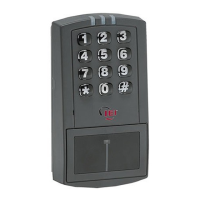
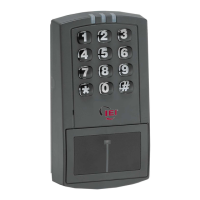
prox.pad Plus
TM
IR
Access System
Installer Guide
This equipment is designed to be installed and serviced by security and lock industry professionals.
Please refer to the table of contents and list of illustrations on page 3.
Access system programming: This access system possesses serial communications capability and can be managed as part of an
overall access control system with Hub Manager Professional
TM
software. See the inside cover for system requirements.
Optional Keypad Programming: The prox.pad Plus IR unit can be programmed manually using the keypad on each unit and
without the use of a personal computer (PC) and software. This manual contains the optional keypad programming instructions.
Keypad programming can be helpful to get a door or doors up and running prior to having the availability of the host computer. In all
cases, the personal computer programming options supersede the keypad programming options.
Page 1 of 32 Document # 6105681, Rev 1.1, D2a
Service Company, Put Contact Information Here:
Company Name: __________________________________________
Service Number: __________________________________________
15.21 Information to User
Any changes or modifications not expressly
approved by the party responsible for compliance
could void the user's authority to operate the
equipment.


Table of Contents

Question and Answer IconNeed help?

Do you have a question about the IEI Technology prox.pad Plus and is the answer not in the manual?

Summary

Product Description

Prox.pad Plus IR Specifications

Prox.pad Plus IR Default Settings

LED Indicators and Sounder Operations

Component Overview

Control Board Overview

Communication Board Overview

Wall Mounted Installation

Preventing Water Problems

Glass Mounted Installation

Secure Installation

Installing a Tamper Switch

Mounting Over a Metal or Plastic Single Gang J-Box

Install tamper switch on J-box using magnetic reed switch and adhesive tape.

Wall Mounting Tamper Switch

Mount tamper switch on wall using magnetic reed switch and adhesive pads.

Removing and Inserting Circuit Boards

Connecting Communication Board to Main Control Board

Wiring Main Relay to Fail Secure Lock

Wiring Main Relay to Fail Safe Lock

Wiring Aux Relay for Alarm Shunt

Wiring Aux Relay for Propped or Forced Door

Wiring Door Contact Input

Wiring External REX Switch (Request to Exit)

Programming

Entering Program Mode

Procedure for accessing the unit's programming mode via master code.

Changing the Master Code

Steps to change the master code for security and data transfer.

Programming a Supervisor Code

Procedure for assigning a supervisor code for limited programming access.

Prox.pad Plus IR User Types

Programming Options Chart

IEI Technology prox.pad Plus Specifications

General IconGeneral
BrandIEI Technology
Modelprox.pad Plus
CategoryLocks
LanguageEnglish

Related product manuals