Ce document est la propriété d'IER et ne doit pas être reproduit ou communiqué sans autorisation écrite.
This document is the property of IER and may not be reproduced or communicated without prior written
authorization
2 PRINTER SETUP
2.1 INSTALL IERCONNECT
Before connecting the printer to the computer, install the IERConnect
software. To do so, refer to the IERConnect installation guide.
2.2 CONNECT THE PRINTER TO POWER
1. Make sure that the power switch is
turned OFF (O position).
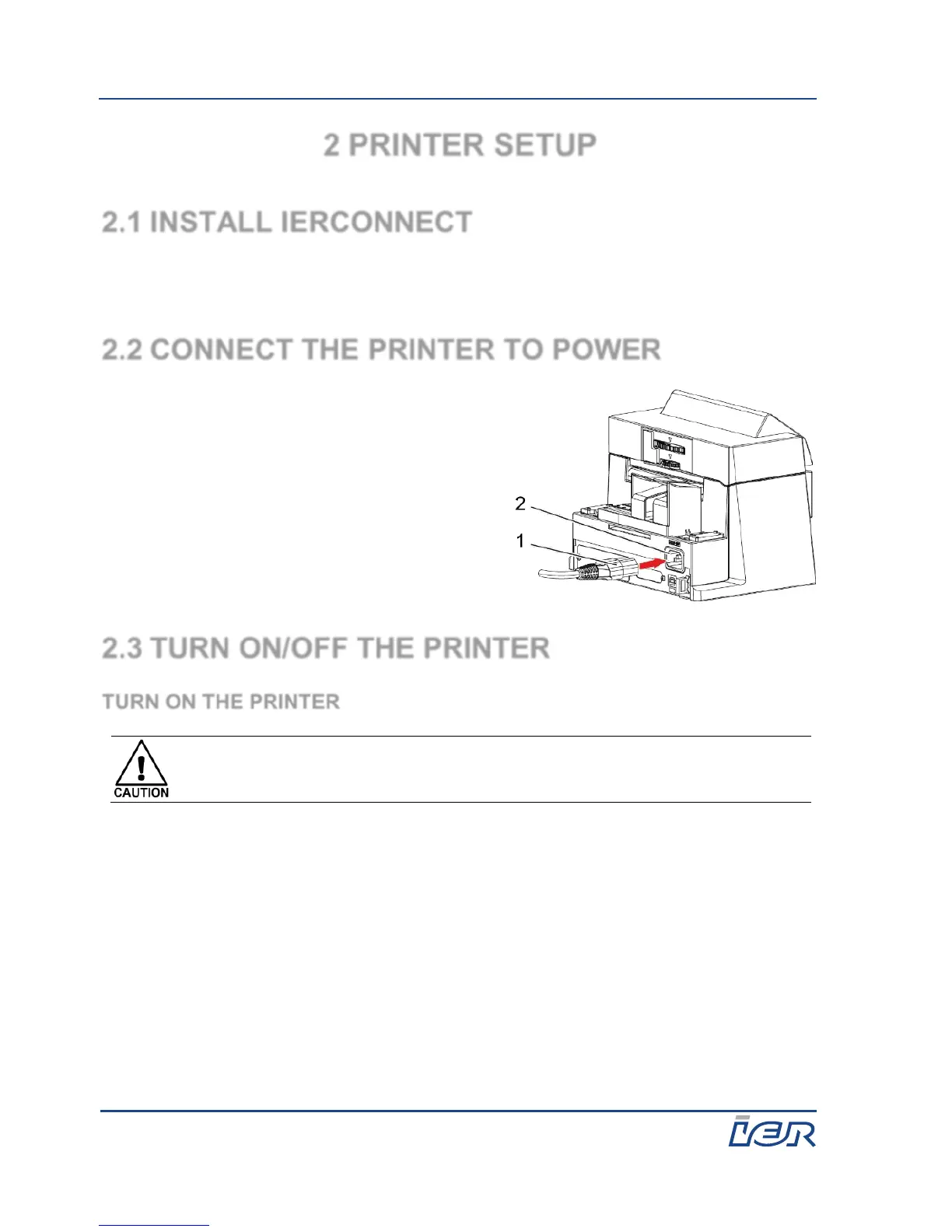
2. Connect the power cord (1) to the
printer power inlet (2).
3. Connect the plug of the power cord to
an AC outlet.
2.3 TURN ON/OFF THE PRINTER
TURN ON THE PRINTER
When turning the power switch to the "I" position (ON), pay attention
to the messages displayed on the printer screen.
1. Turn the power switch to the "I" position (ON).
After 2 seconds, the second line of the LCD screen displays the printing
mode:
Wide: ATB format print mode
Narrow: Bag tag format print mode
2. Wait until the printer starts.
Since the printer is not yet connected to a host computer, after starting it
displays: i420 Disconnected.



 To Next Page