Ce document est la propriété d'IER et ne doit pas être reproduit ou communiqué sans autorisation écrite
This document is the property of IER and may not be reproduced or communicated without prior written
authorization.
TURN OFF THE PRINTER
1. Turn the power switch to the "O" position (OFF).
2.4 SET THE MEDIA TYPE
During startup, the printer displays the
currently selected print mode. To switch to
the other print mode:
1. Make sure that the USB data cable is
NOT CONNECTED and the print
media is NOT LOADED.
2. Simultaneously press the UNLOAD
and ONLINE buttons for 3 seconds
until the desired mode is displayed on
the screen.
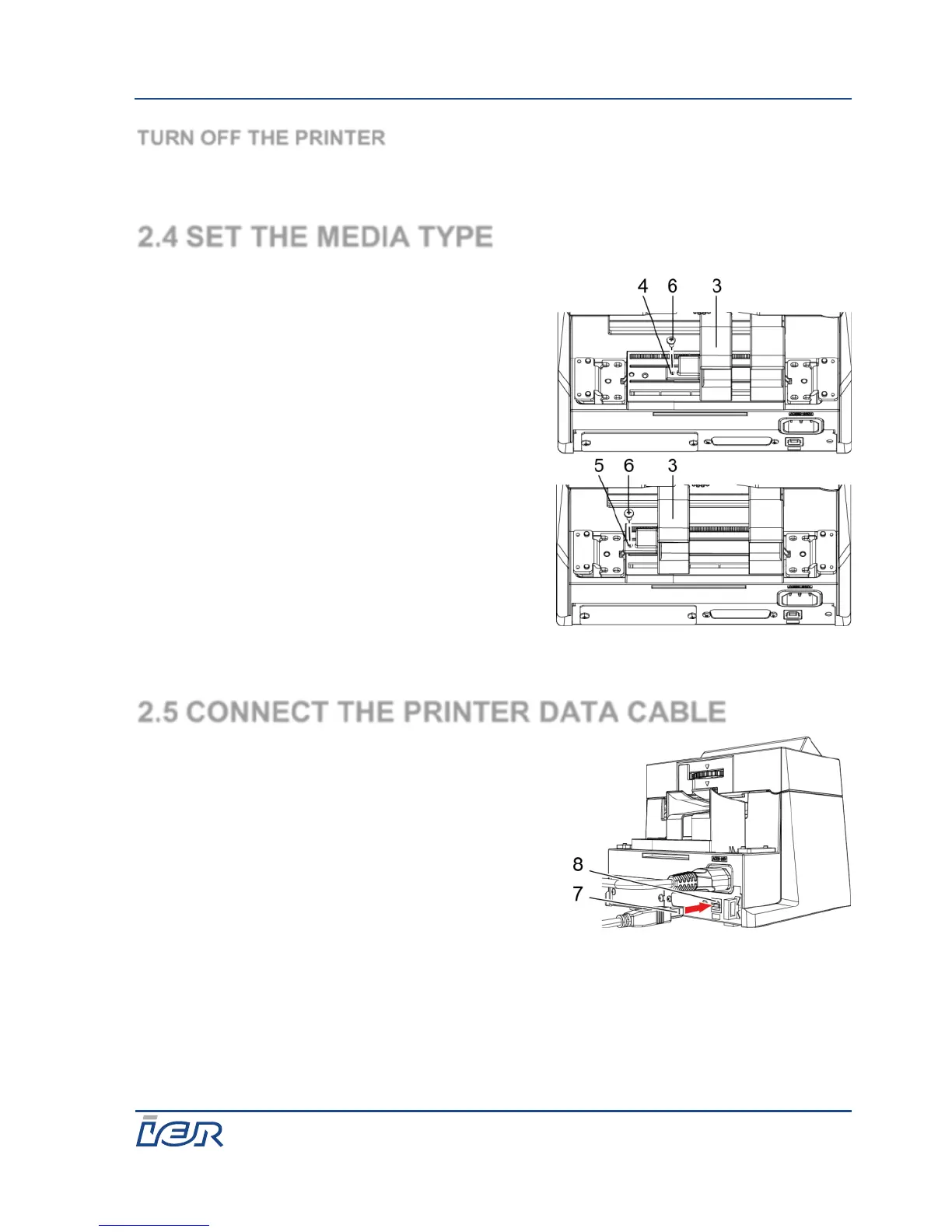
3. Set the movable paper guide (3) to the
desired position (4 for bag tag, 5 for
ATB) and secure it with a locking
screw (6).
2.5 CONNECT THE PRINTER DATA CABLE
1. On the back of the printer, connect the
USB data cable (1) to the printer USB
socket (2).
2. Connect the USB data cable to the host
computer.



 To Next Page