Ce document est la propriété d'IER et ne doit pas être reproduit ou communiqué sans autorisation écrite.
This document is the property of IER and may not be reproduced or communicated without prior written
authorization
2.6 LOAD THE PRINTER
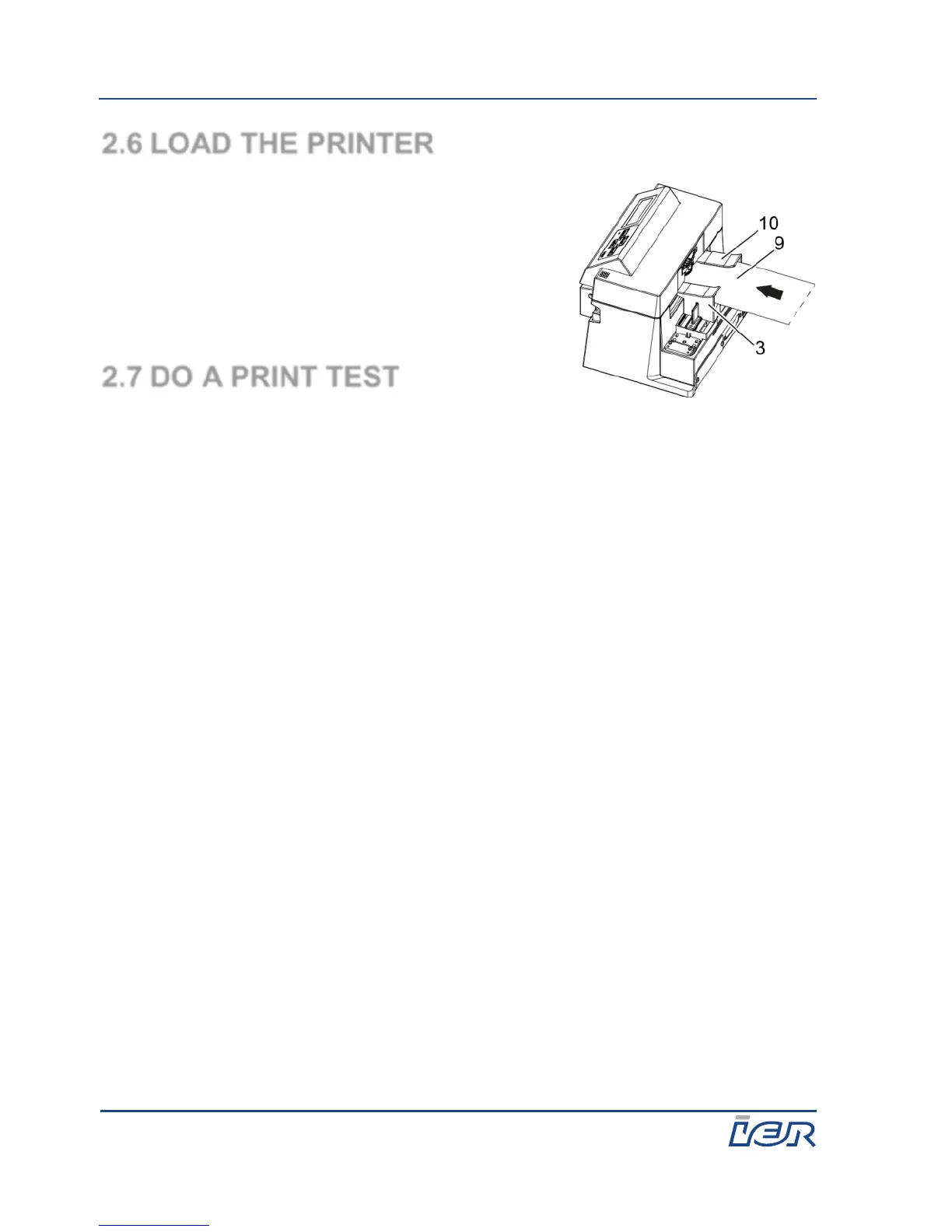
1. Insert the print media (9), thermo-sensitive
side up, between the 2 paper guides (3 and
10) until the media is trained by the printer.
After positioning the media, the printer
displays READY BTP (bag tags print mode)
or READY ATB (ATB print mode).
2.7 DO A PRINT TEST
1. Turn on the printer (see page 16).
2. Wait until the printer starts.
3. Press On Line to enter the off line mode.
4. Press Unload once, twice, or three times depending on the type of test
coupon you want to print:
Press Unload once to print a configuration test coupon.
Press Unload twice to print a pattern test coupon.
Press Unload three times to print a statistics test coupon.
5. Take the test coupon.
6. Press On Line to return to the on line mode.



 To Next Page