Ce document est la propriété d'IER et ne doit pas être reproduit ou communiqué sans autorisation écrite
This document is the property of IER and may not be reproduced or communicated without prior written
authorization.
3 PRINTER OPERATION
3.1 STATUS AND OPERATION MODE INDICATION
To warn the user and display the states and the operating mode, the printer is
equipped with the following means:
Tricolor LED,
LCD display backlight
LCD display messages.
3.1.1 LED INDICATOR
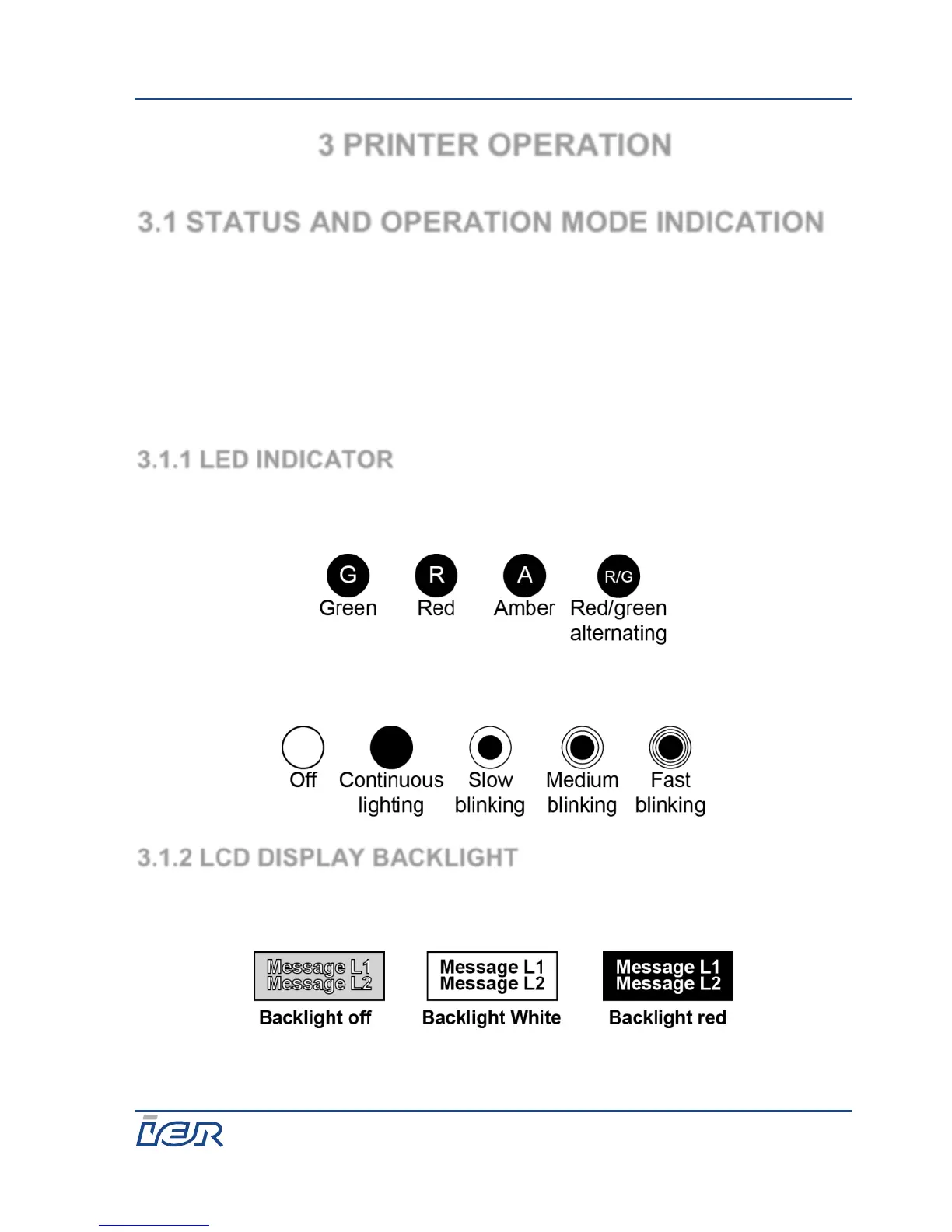
The LED of the operation panel can be illuminated in three different colors.
The following figure list the colors and the symbols used in this document.
Regardless of color, the LED can be illuminated in several modes. The
following figure list the modes and the symbols used in this document.
3.1.2 LCD DISPLAY BACKLIGHT
The LCD display backlight has three lighting modes. The following figure list
the modes and the symbols used in this document.



 To Next Page