14
TV GUIDE
❖ Using the TV guide
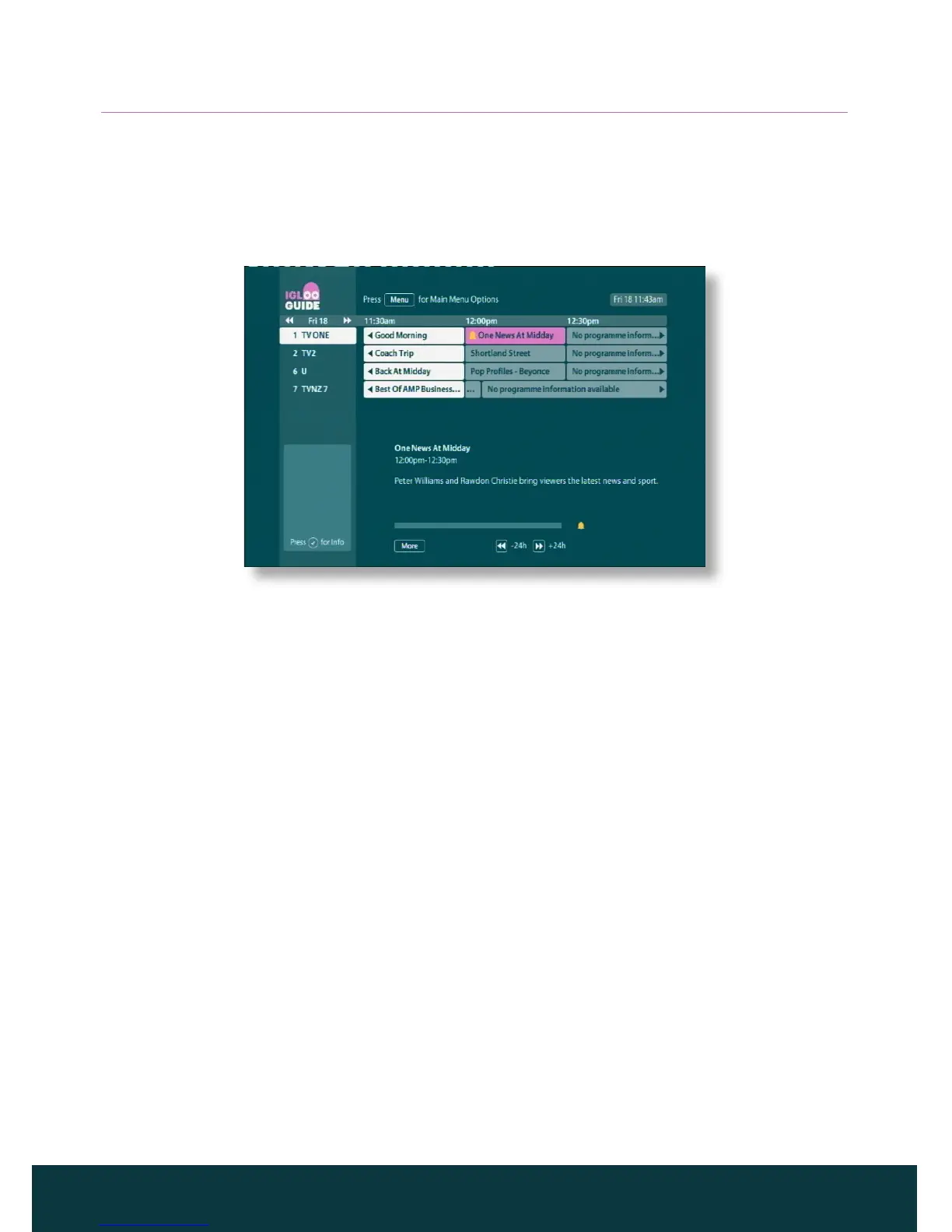
The TV guide provides you with a listing of all programmes available on all
channels, making it easy to find the programmes you want to watch.
To display the TV guide, press Guide on your remote control.
The start times and the day are shown at the top of the listings. Information
about the currently tuned channel is shown below the list of programmes.
◆ To see what programmes are on at dierent times, press R or L.
◆ To move through the list of channels, press U or D.
◆ Use the CH + and CH - buttons on your remote control to see the previous
or next section of the channel listings.
◆ Use the RR (+24 hours) and LL (–24 hours) buttons on your remote
control to move forward and backwards by 24 hours through the listings.
◆ To display more information about a programme, press Info.
◆ To remove the TV guide, press Back or Live TV.
Watching a programme now
To watch the programme that is on now, and remove the TV guide, press OK.
Setting a reminder
◆ If the highlighted programme is on later, you can press More to display
extra programme information.
◆ On the menu that pops up, press U or D to highlight Set Reminder, and
press OK.



 To Next Page