6
IGLOO On Demand
Access IGLOO’s catalogue of
movies and TV episodes for rent
YOUR IGLOO
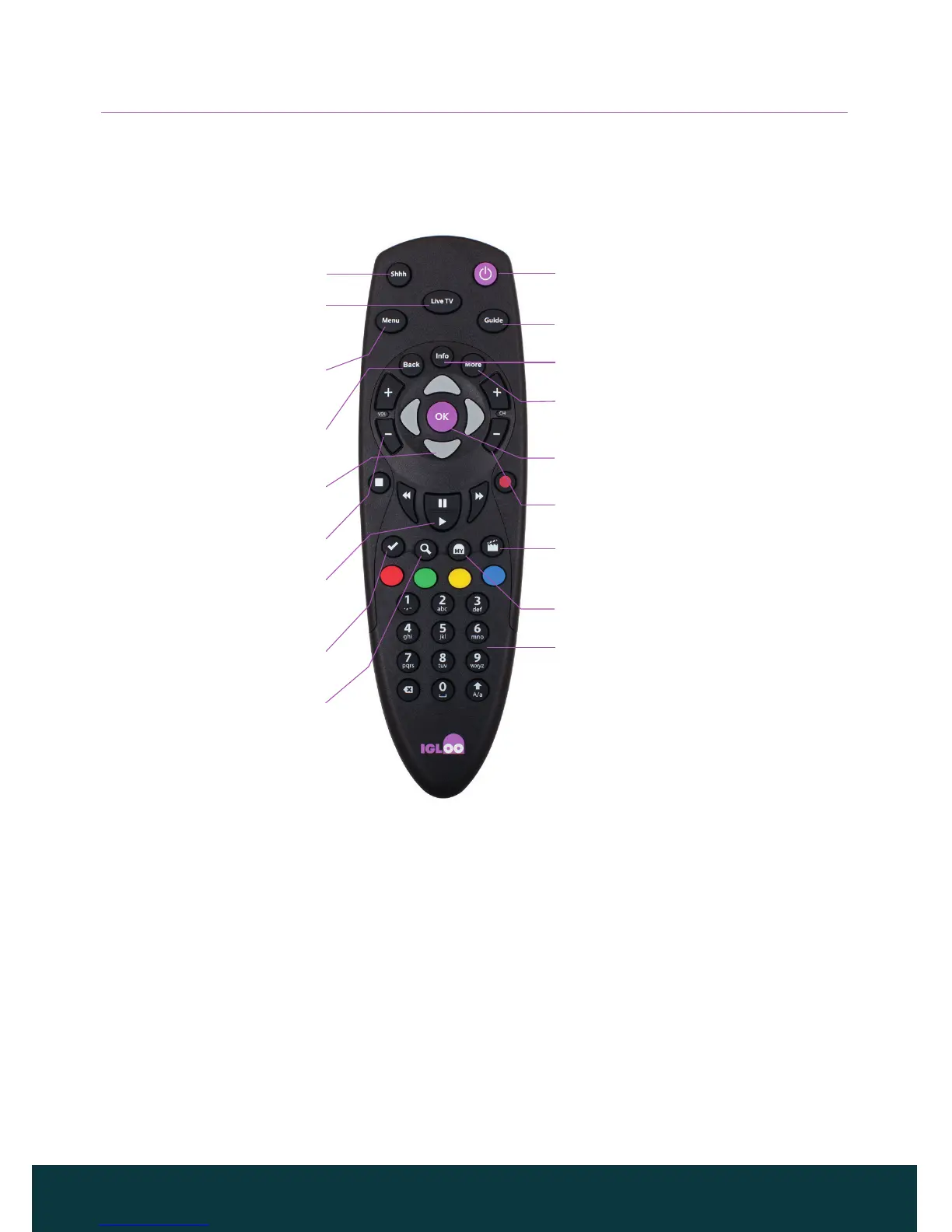
❖ Remote control
Shhh
Turns the sound on and o
Menu
Go to the Main menu and
IGLOO homepage
Back
Go to previous screen or cancel
Vol + / -
Changes the volume up/down
Arrows
Use to navigate your screen,
like a mouse
Igloo Tick
Info on recommended content
Play buttons
Stop, pause, rewind and fast
forward when using Live Pause or
when viewing On Demand titles
Search
Programme search by
title or keyword
Standby
Power your IGLOO up or down
with this button
Guide
Go to program listings
Info
Find out more about a programme
CH +/-
Previous or next channel
OK
Confirm a choice or make a selection
My IGLOO
Purchase content or manage your details
Number buttons (09)
Use to change channel,
enter numbers and select
on-screen options
Live TV
Go straight to the last
channel viewed
More
Options such as purchasing content,
changing audio and subtitles



 To Next Page