9
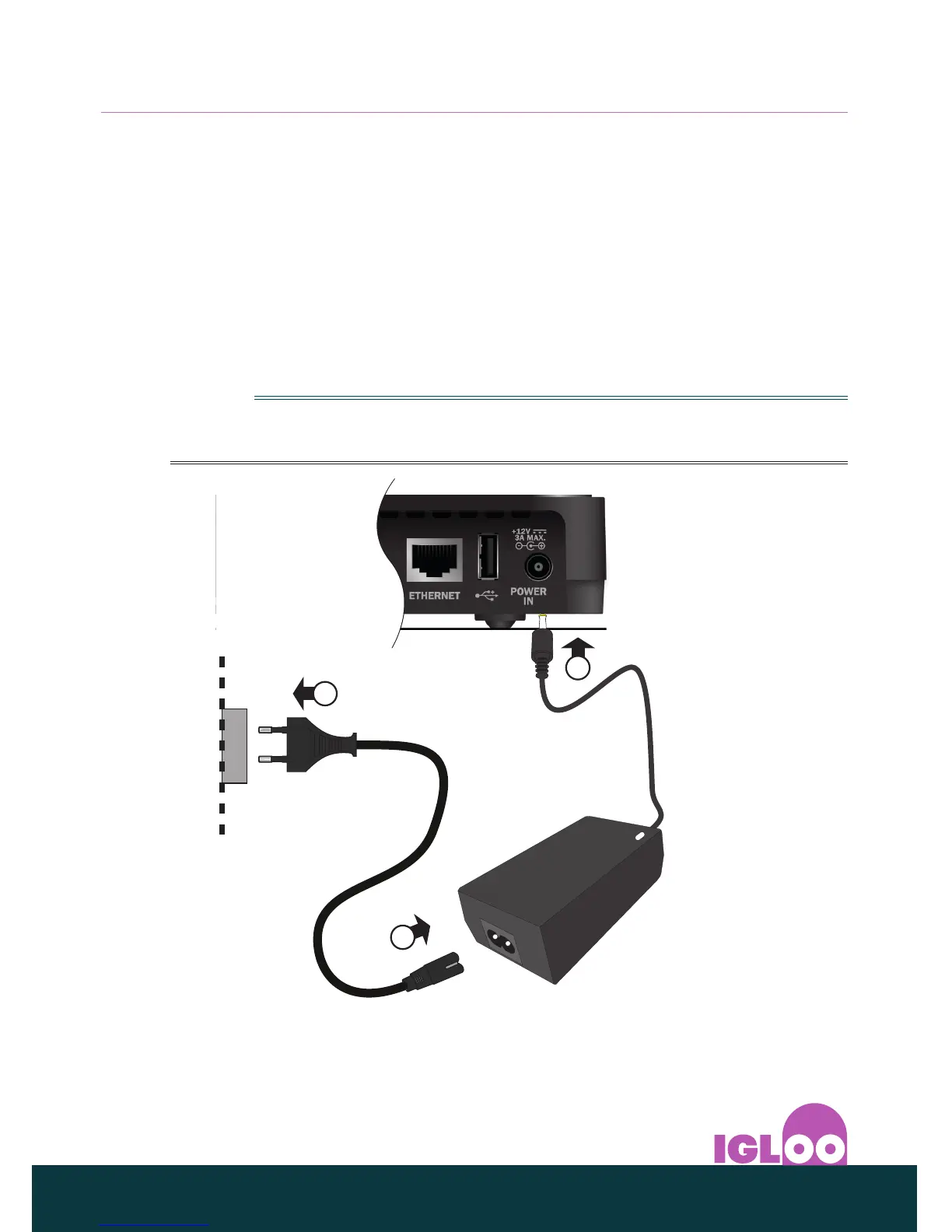
❖ Connecting to the power supply
◆ Plug the fixed lead on the 12V power supply unit into the socket labelled
POWER IN on your IGLOO’s rear panel.
◆ Plug the 2-way connector on the supplied power lead into the socket on
the 12V power supply unit.
◆ When all the connections are properly made, connect the mains plug from
the 12V power supply unit into a mains wall socket.
◆ Connect other equipment, such as your TV, to the mains supply.
Note
Ensure that the mains plug of the 12V power supply remains accessible after
installation.
1
3
2



 To Next Page