20
SETTINGS
❖ Changing audio settings
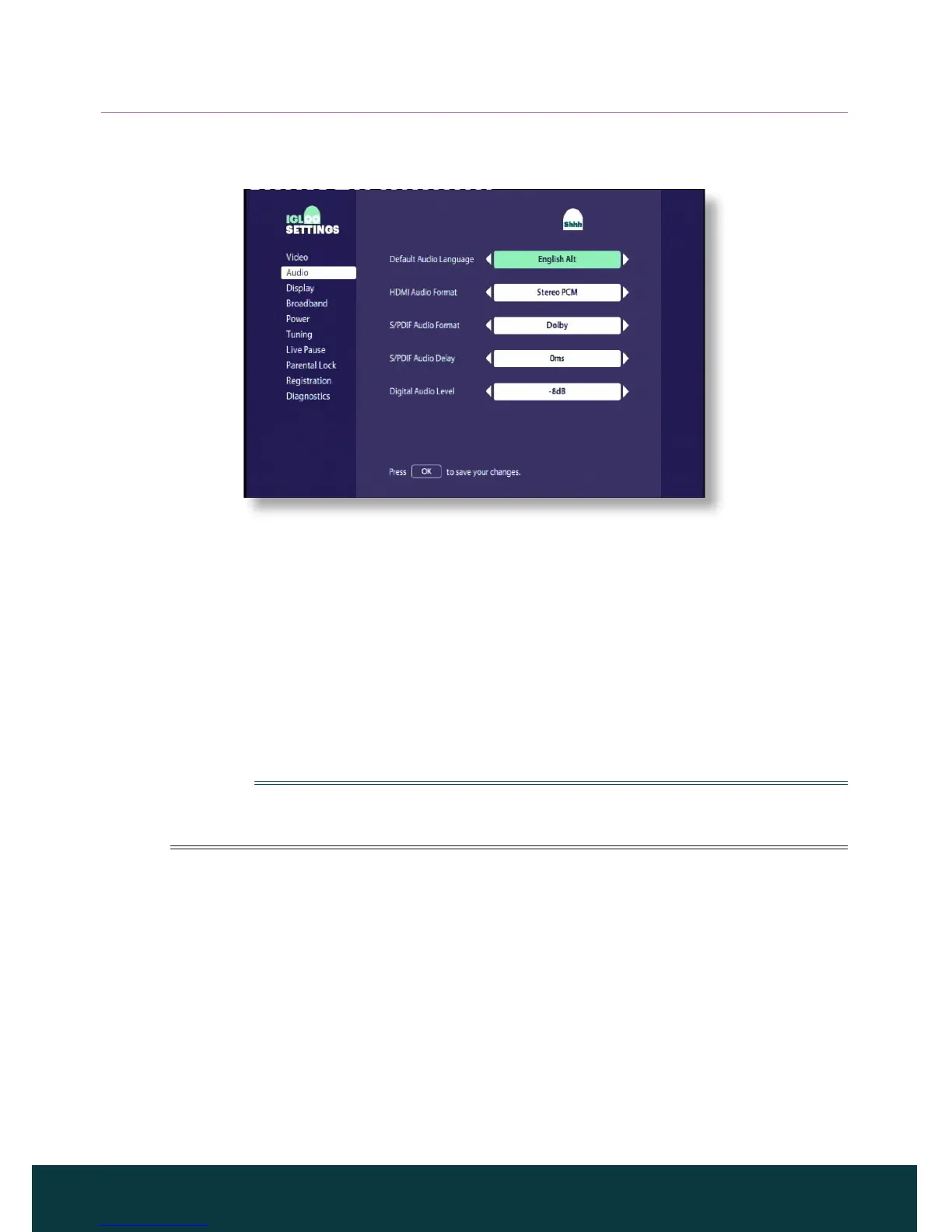
You use the Audio settings to set:
◆ the Default Audio Language - Your choice of language for programmes
that are broadcast with more than one audio soundtrack.
◆ Your preferred HDMI Audio Format and S/PDIF Audio Format (Dolby
Digital 5.1 or Stereo PCM)
These settings control the digital-audio output from the connectors
marked HDMI and DIGITAL AUDIO OUT. Select Dolby if your equipment
has Dolby Digital decoding capabilities. The setting Stereo PCM is for
digital stereo sound.
Note
Dolby Digital audio is available only on some programmes. If Dolby Digital
audio is not available, the audio output will be digital stereo.
◆ a S/PDIF Audio Delay setting (between 0 ms and 200 ms)
If you have an HDTV, and you connect a separate audio system to the
DIGITAL AUDIO OUT connector on your IGLOO, you may have to adjust
the S/PDIF Audio Delay setting.
This is because the length of time your HD TV takes to display the video
information may be slightly greater than the time taken for the audio signal
to reach the loudspeakers. In this case, you would hear someone speaking
just before his/her lips moved. To correct this situation, a delay must be
added to the audio signal, until it is “in sync” with the on-screen video.



 To Next Page