19
SETTINGS
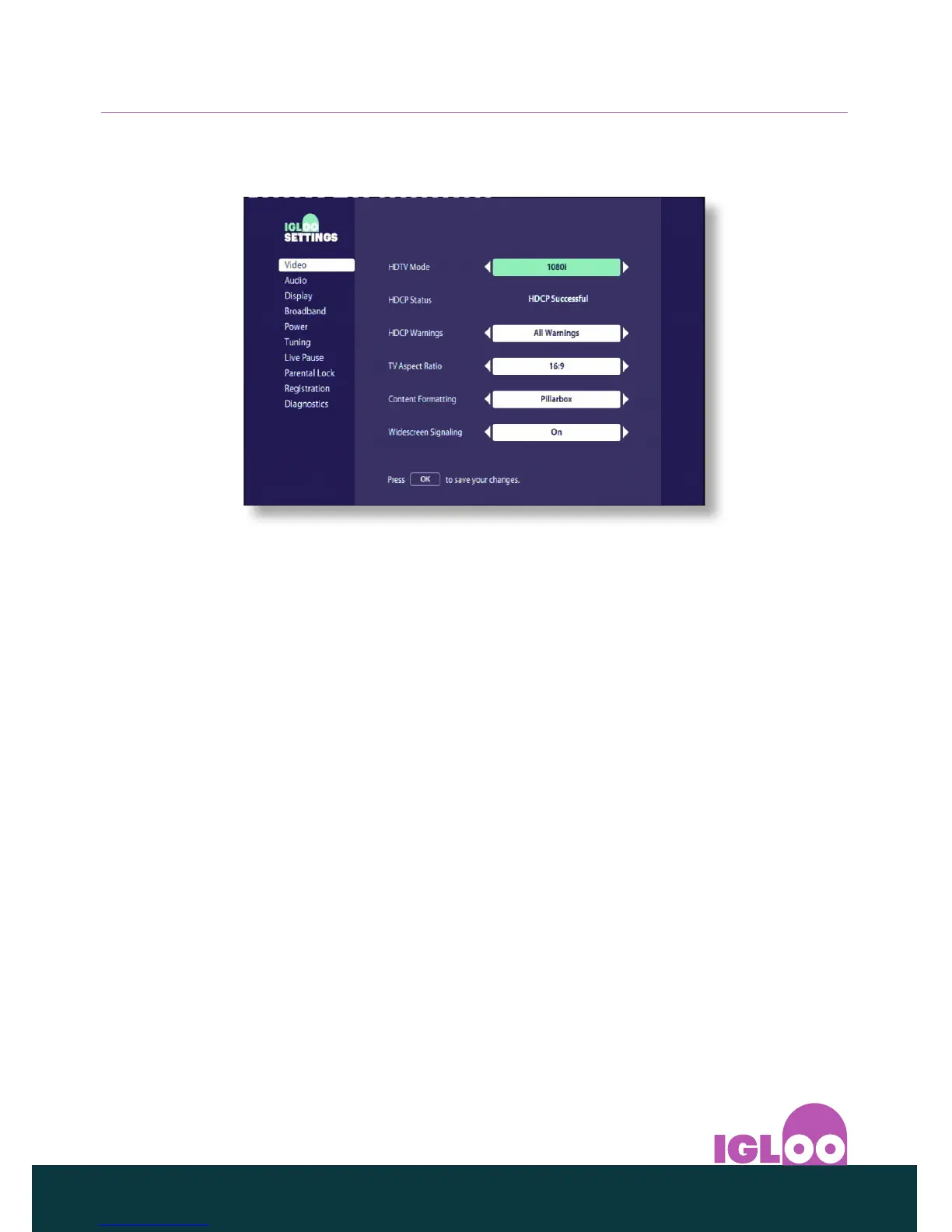
❖ Changing video settings
You use the Video settings to choose how your IGLOO displays video on your TV.
◆ Set the video resolution that’s output from your IGLOO’s HDMI connector
to best match your TV’s native resolution. The available options are 1080i,
Auto, 576p, or 720p.
◆ Select the TV Aspect Ratio (16:9 or 4:3).
4:3 is for ‘standard’ TVs; 16:9 is for ‘widescreen’ TVs.
◆ If you select 16:9 above, choose how 4:3 standard transmissions display on
your TV:
Pillar Box - the whole of the transmitted video is visible, with black vertical
bars to the left and right.
Full screen - the transmitted video is stretched horizontally to fill the
screen.
◆ If you selected 4:3 above, choose how 16:9 widescreen transmissions
display on your TV:
Letter Box - the whole of the transmitted video is visible, with black
horizontal bars above and below.
Centre cut - only the centre portion of the transmitted video fills the
screen.



 To Next Page