8
INSTALLATION
Optional Broadband connection
If you want to connect your IGLOO to the Internet, set up a wireless
connection between your IGLOO and your WiFi router during the first
installation setup (see page 11). To set it up later, go to Menu > Settings >
Broadband and follow the on-screen instructions.
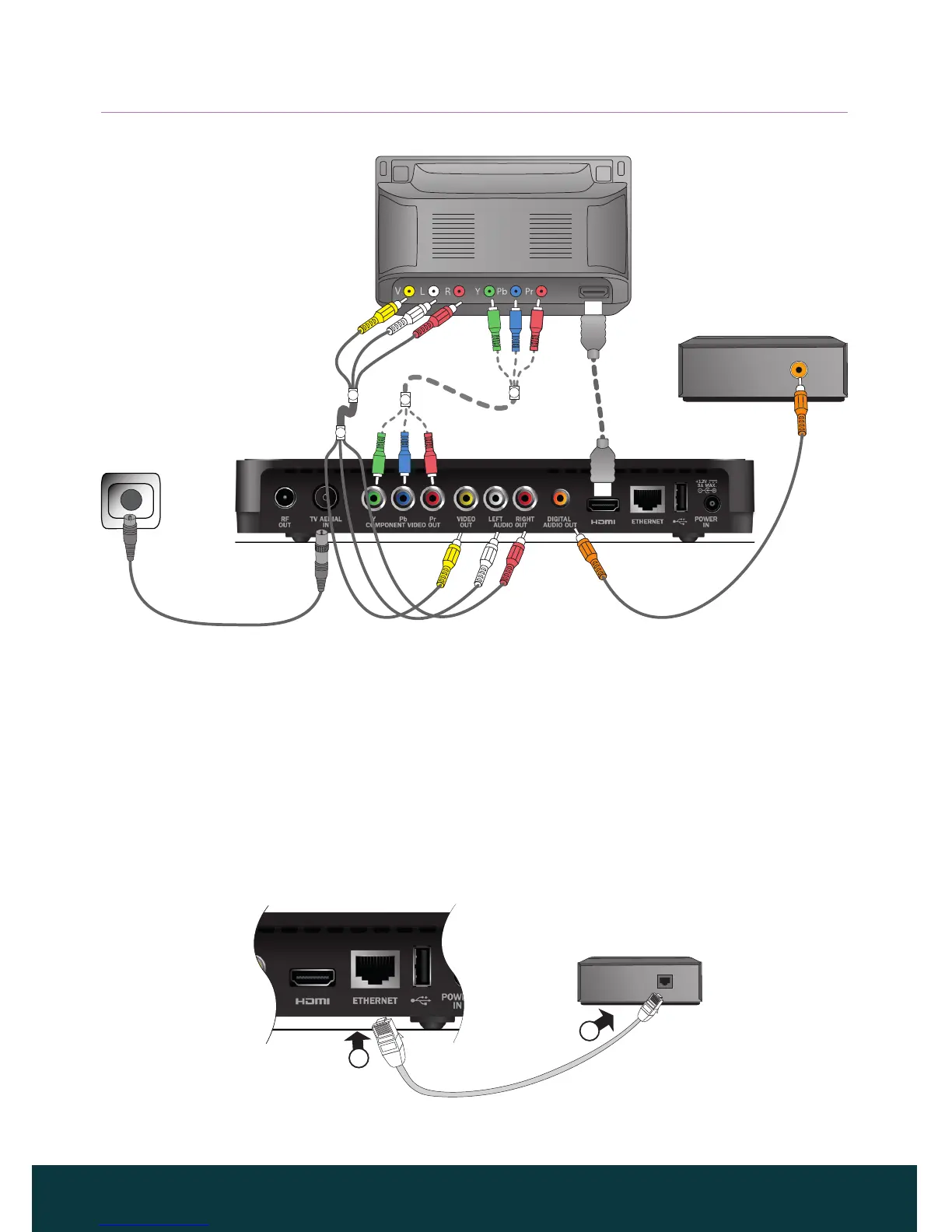
You can also use an Ethernet cable to connect your IGLOO to the Internet as
shown below. Connect the cable between your IGLOO and an Ethernet port
on your local network router.
HDMI
HDMI lead
(preferred)
Component video leads
(alternative)
TV
Coaxial digital audio
lead
Home cinema system
AV phono lead
Wall Socket
RF Cable
2
1
RF adapter



 To Next Page