SWIFT K11-EN, Rev.A 57
6.5.3 Motor operation
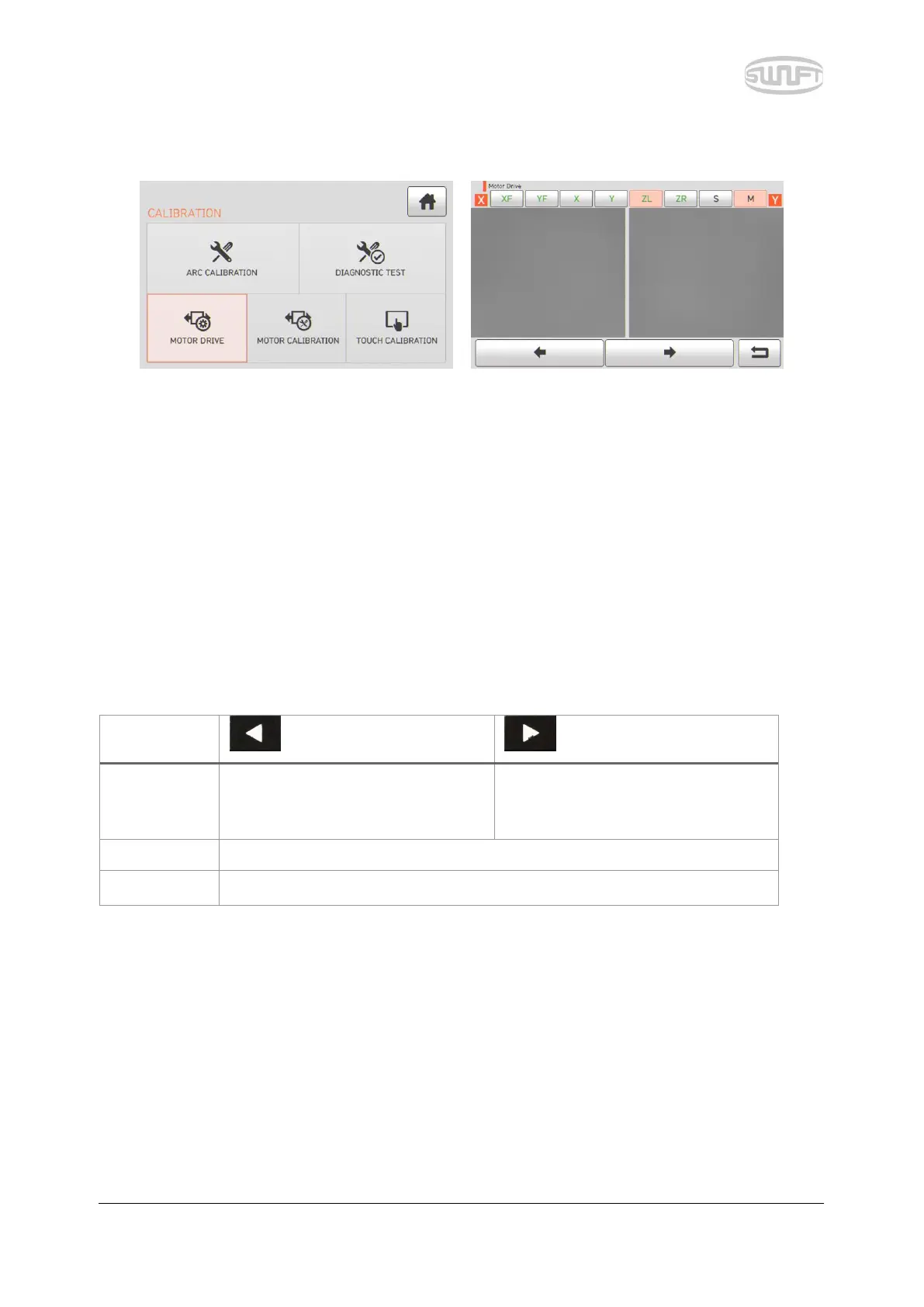
Motor operation checks whether the motor normally operates in manual mode.
i. Remove optical fiber from sealer.
ii. Select “Motor operation” by touch.
iii. Change the motor selection by touching the icon at the top. The name of selected
motor is indicated at the top of the screen.
iv. Operate the motor in a direction wanted by touching arrow icons at the bottom.
It makes ZL/ZR advance forward.
It makes ZL/ZR go backward.
It moves step by step upon every press of the button.
It continuously moves upon pressing the button.


 To Next Page