SWIFT K11-EN, Rev.A 58
6.5.4 Motor calibration
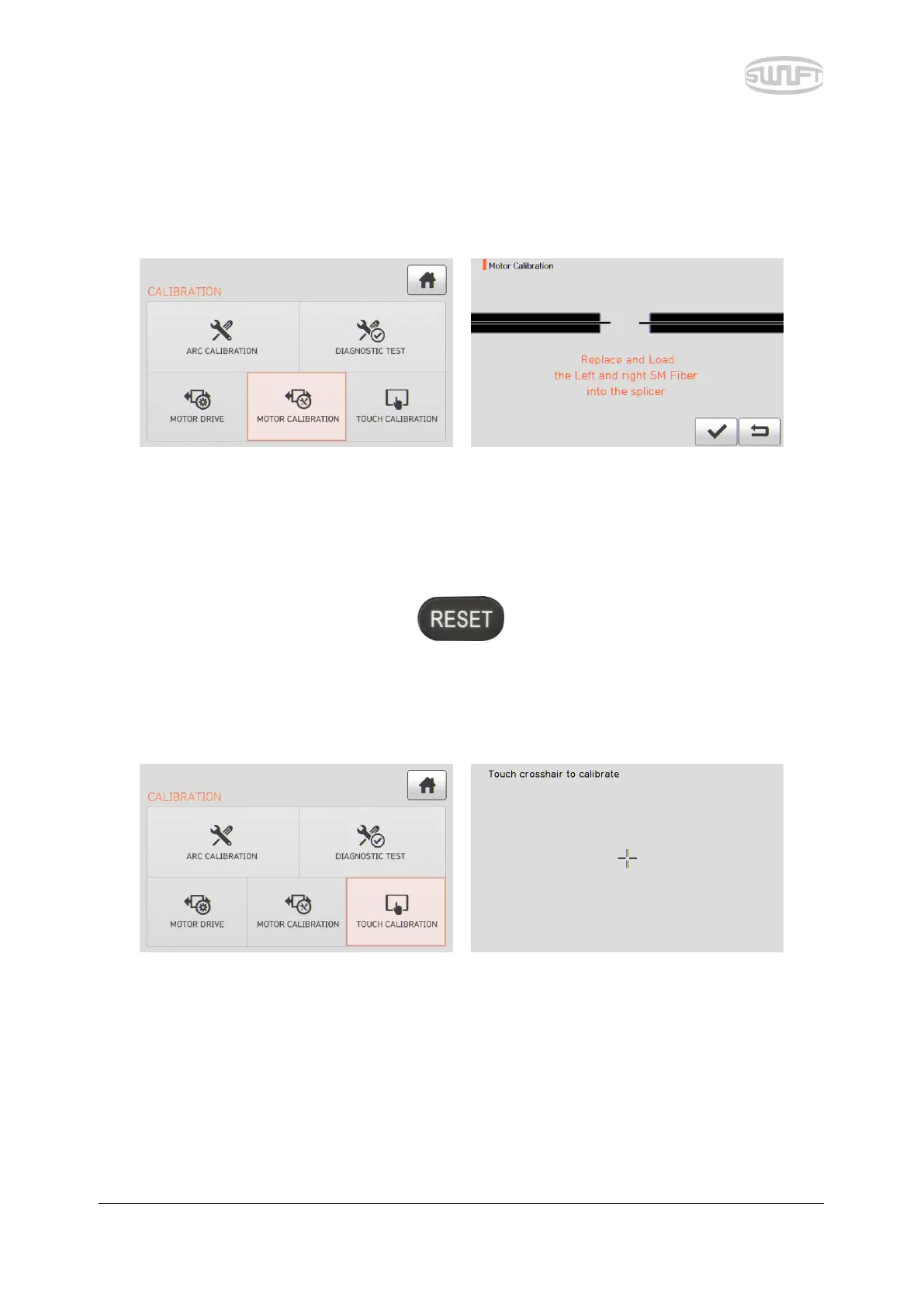
Motor setting is set on sealer as default but depending on motor setting location, splice speed may slow
down. If speed slow down during the splice operation or any abnormality is incurred on entering position,
motor setting can be automatically calibrated through this function.
i. Put optical fiber on sealer.
ii. Select “Motor calibration” by touching it.
iii. If an error message is displayed after testing, contact to Ilsintech immediately.
iv. End the calibration by pressing .
6.5.5 Touch screen correction
When touch screen does not operate at a normal position, a user can calibrate the touch screen.
The location of touch is to be calibrated by touching the cross indicated.


 To Next Page