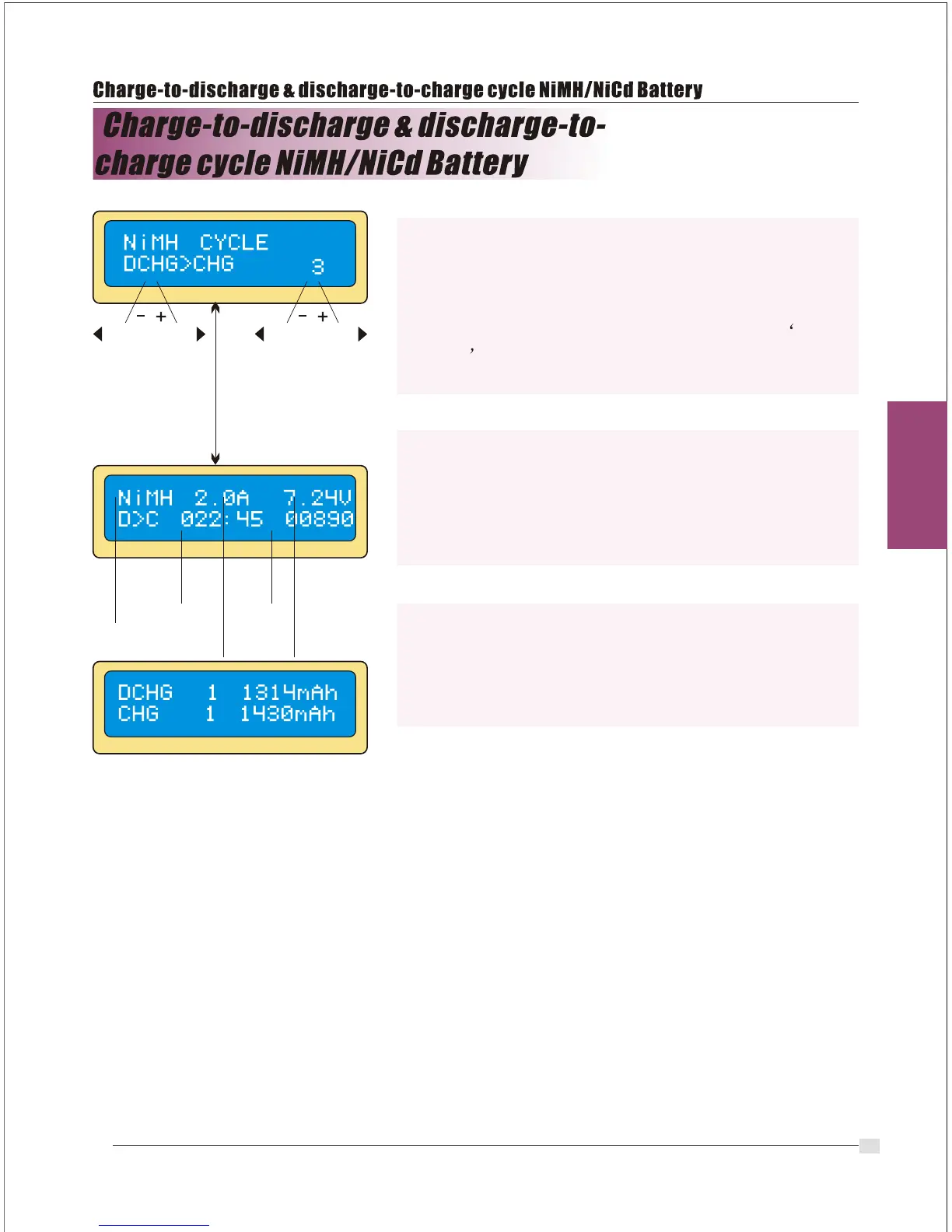
Set the sequence on the left and the number of
cycle on the right. You can use this function for
balancing, refreshing and break-in the battery. To
avoid rising temperature of the battery, there will be
a brief cool-off period that already fixed at User
setting after each charge and discharge process.
The cycling number ranges from 1 to 5.
To stop the process, press Batt type/Stop key
once.
You can change the discharge or charge current by
pressing Start/Enter key once during the process.
The audible sound indicates you the end of process.
At the end of the process, you can see charged or
discharged electric capacities of the battery at
each cyclic process. By pressing Inc> or <Dec
button, the screen shows the result of each cycle in
order.
DEC
INC
Batt type
stop
Start
Enter
`>3seconds`
elapsed
time
discharge
or charge
current
battery
voltage
DEC
INC
discharge
or charge
capacity
battery
type
20


 To Next Page