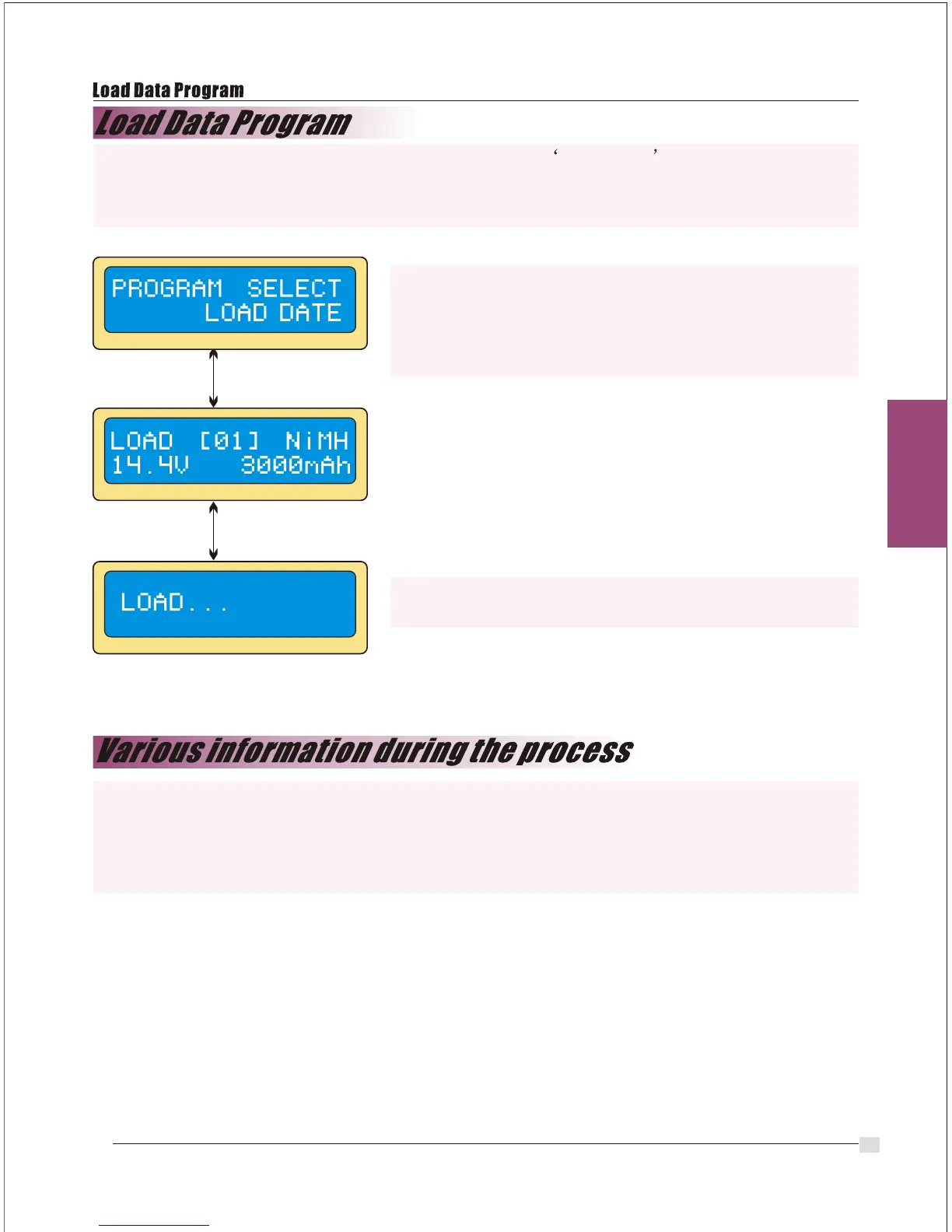
This program calls back the data that was stored at Save Data program.
To load the data, press Start/Enter key once to blink the data number field and select
the number using Inc> or <Dec key then press Start/Enter key for more than 3 seconds.
Select the data number to be called back.
The data matched with the number will be displayed
at this time.
Loading the data.
You can inquire various information on LCD display during charging or discharging
process. When you press<Dec button the charger shows the establishment of user
settings. And also you can monitor the voltage of individual cell by pressing Inc> button
when the individual connection cable is linked to the Lithium battery being processed.
Start
Enter
Start
Enter
`>3seconds`
24


 To Next Page