Selecting Functions 5-3
5
Min. Factory
Name Setting range unit setting
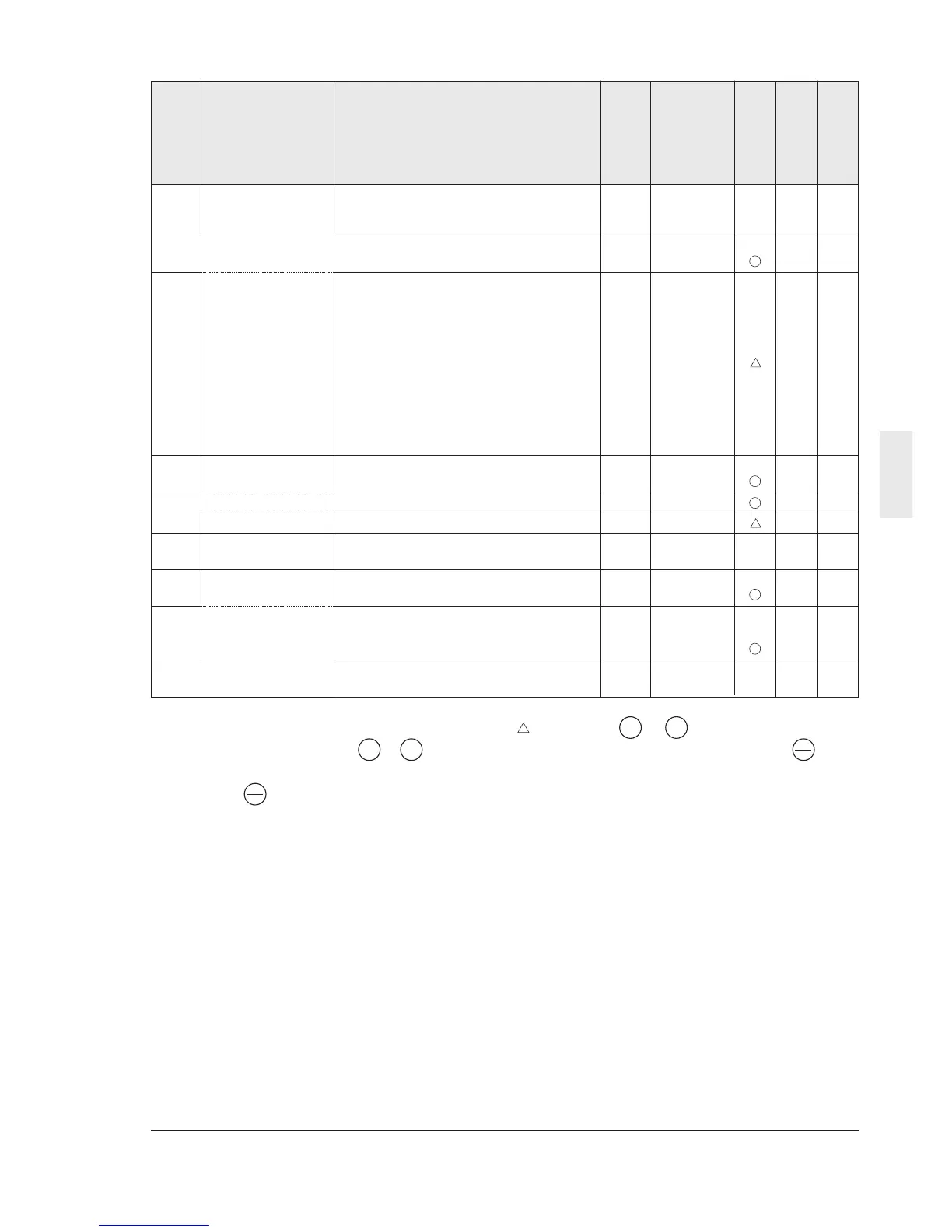
F29 FMA and FMP 0: Analog output (FMA)
terminals 1: Pulse output (FMP)1 1 0 X 0
(Select)
F30 FMA
(Voltage adjust) 0 to 200% 1% 100 0
F31 (Function) 0:Output frequency 1 (before slip
compensation)
1:Output frequency 2 (after slip
compensation)
2:Output current
3:Output voltage 1 0 0
4:Output torque
5:Load factor
6:Input power
7:PID feedback value
8:DC link circuit voltage
F33 FMP
(Pulse rate) 300 to 6000p/s (Pulse count at 100%) 1p/s 1440 0
F34 (Voltage adjustment) 0%, 1 to 200% 1% 0 0
F35 (Function) 0 to 8 (Same as F31) 1 0 0
F36 30Ry operation mode 0: Excited when tripping
1: Excited during regular operation 1 0 X 0
F40 Torque limiter 1 20 to 200%
(Driving) 999: Inactive 1% 180 0
F41 (Braking) 0%: Automatic deceleration control
20 to 200%
999: Inactive 1% 150 0
F42 Torque vector 0: Inactive
control 1 1: Active 1 0 X 0
Description of change during operation
: The data changed by the or key takes
effect on the inverter operation. However,
press the key to store the new data.
V
V
Function code
Change during
operation
RS485 Data format
: Press the or key to change the data.
The new data takes effect after the key is
pressed to store the data.
X : The data can be changed only while the
inverter is stopped.
V
V
FUNC
DATA
FUNC
DATA
User setting



 To Next Page