23
Using the audio
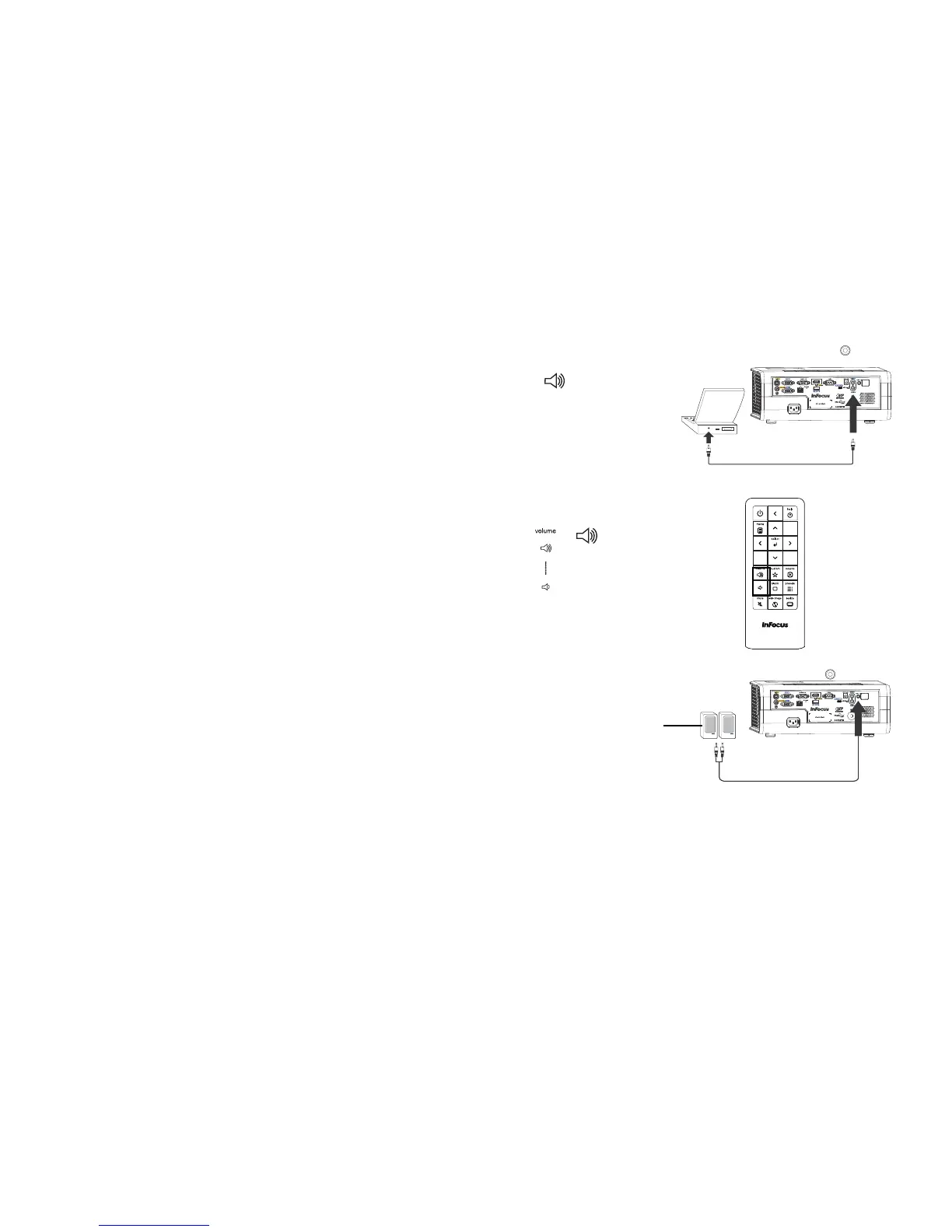
Using the projector’s speakers
When the computer is using the DisplayLink or HDMI connectors, both
audio and video are sent over the respective cable to the projector and audio
will play from the projector's speakers.
For inputs other than DisplayLink and
HDMI, connect the audio source to
the associated audio connectors in order to use the projector's speakers.
To adjust the volume, press the Volum
e buttons on the keypad or remote.
Troubleshooting Audio
If you aren’t hearing the audio, check the following:
• If your computer is using the projector's DisplayLink connector, see the
InFocus DisplayLink Software User's Guide on the website at
www.infocus.com/displaylink for audio troubleshooting information.
• Make sure the audio cable is connected to the correct audio in
connector, Computer or Video.
• Make sure the volume is turned up enough. Press the Volume button on
the keypad or remote.
• Make sure you are connected to the corresponding audio in for your
source.
• Make sure that you are connected to an audio out connector o
n the
source as opposed to a line in or microphone connector.
• Adjust the audio source.
• If playing a video, make sure the playback
has not been paused.
Connecting external speakers
The projector can be attached to external amplified speakers by connecting
a 3.5mm stereo audio cable from the Audio Out connector on the projector to
the amplified speakers. Alternatively, you can bypass the projector’s audio
system and connect the audio directly from your source to a stereo or home
theater system.
NOTE: Di
splayLink and HDMI audio is passed to the Audio Out connecto
r.



 To Next Page