6
Setting up the Projector
NOTE: Before you continue,
make sure the projector and all
other equipment is turned off. If
you’re connecting a computer,
make sure the distance between it
and the projector is 6 feet or less.
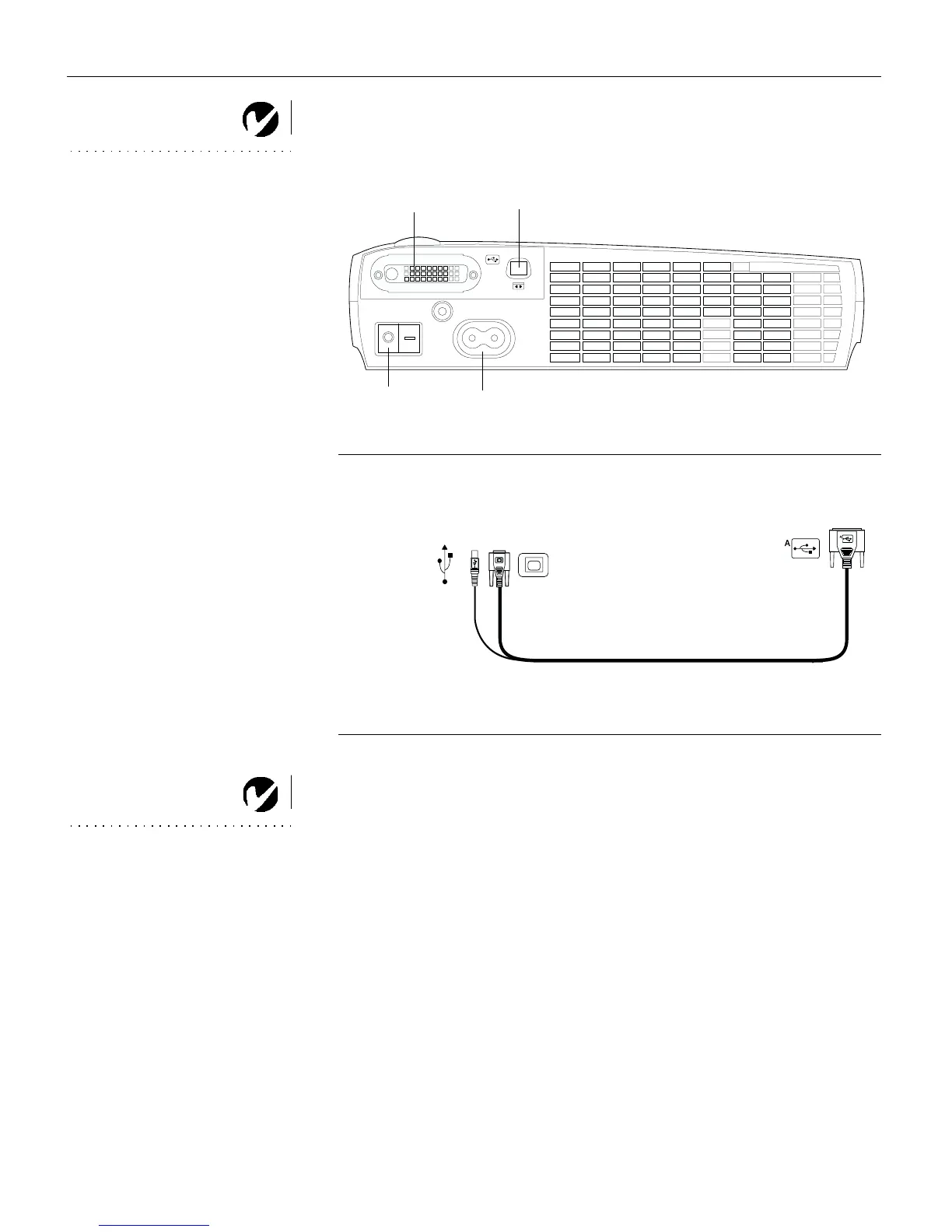
F
IGURE 4
Connector panel
F
IGURE 5
Computer cable
NOTE: If you are connecting an
older Macintosh computer that
does not have a 15-pin connector,
you must use a Mac adaptor
between the computer and the
projector. See “Optional
Accessories” on page 39.
video
power switch
computer
power cord
to computer video
to projector
to computer
to USB mouse



 To Next Page