11
... English
Operation
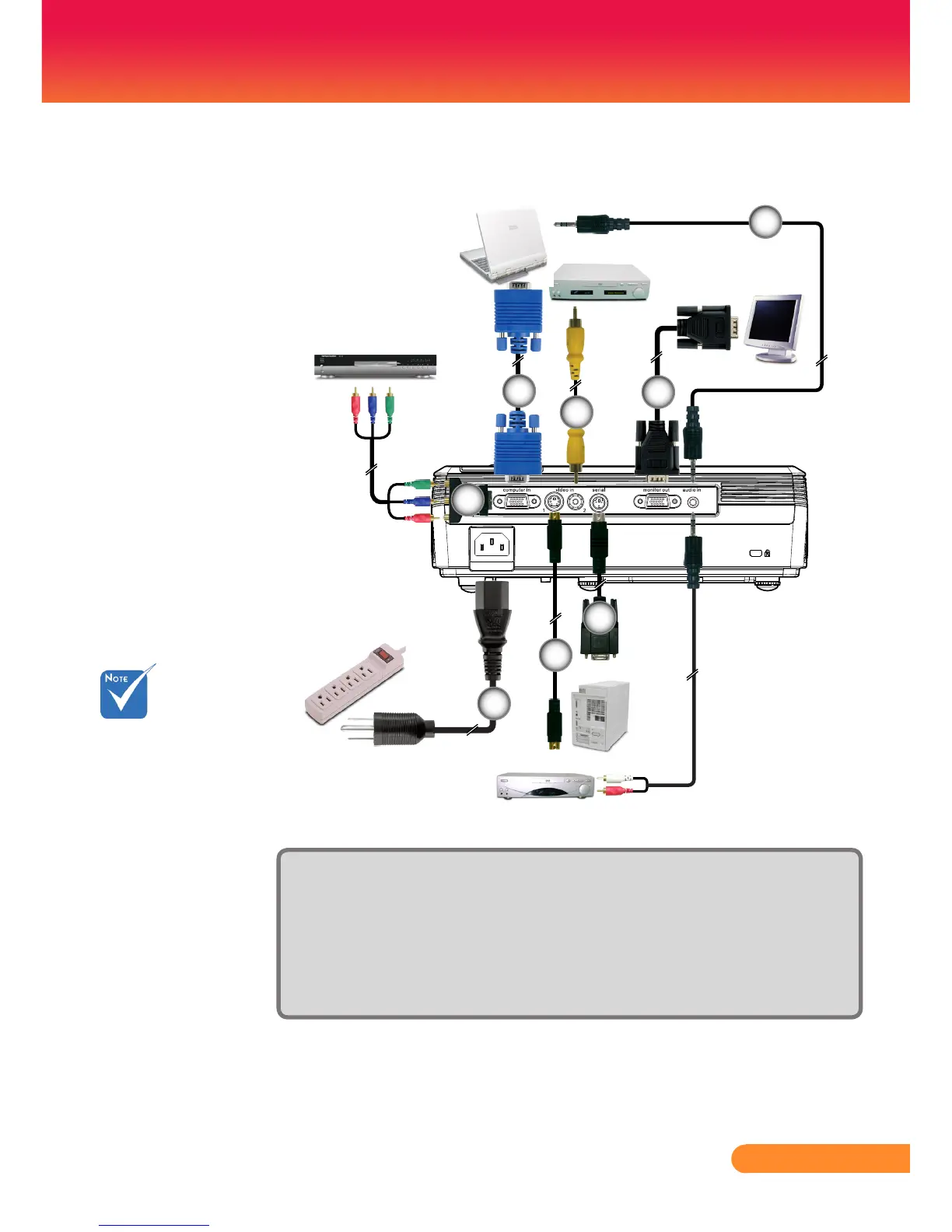
Connecting the Projector
Due to the
difference in
applications for each
country,someregions
may have different
accessories.
Toensuretheprojectorworkswellwithyourcomputer,
please make sure the timing of the display mode is
compatible with your projector.
1................................................................................................................ Power cord
2.............................................................................D-15 to RCA adapter for YPbPr
3.............................................................................................................VGA in cable
4............................................................................................................ S-Video cable
5............................................................................................ Composite video cable
6................................................................................................................RS232 cable
7...........................................................................................................VGA out cable
8...........................................................................................Audio cable jack to jack



 To Next Page