INFOSEC UPS SYSTEM – 15, Rue du Moulin – 44880 Sautron – France – www.infosec-ups.com
Hot Line Tel : +33 (0)2 40 76 15 82 – fax : +33(0)2 40 94 29 51 – hotline@infosec.fr – 02 19 AA 59 203 07
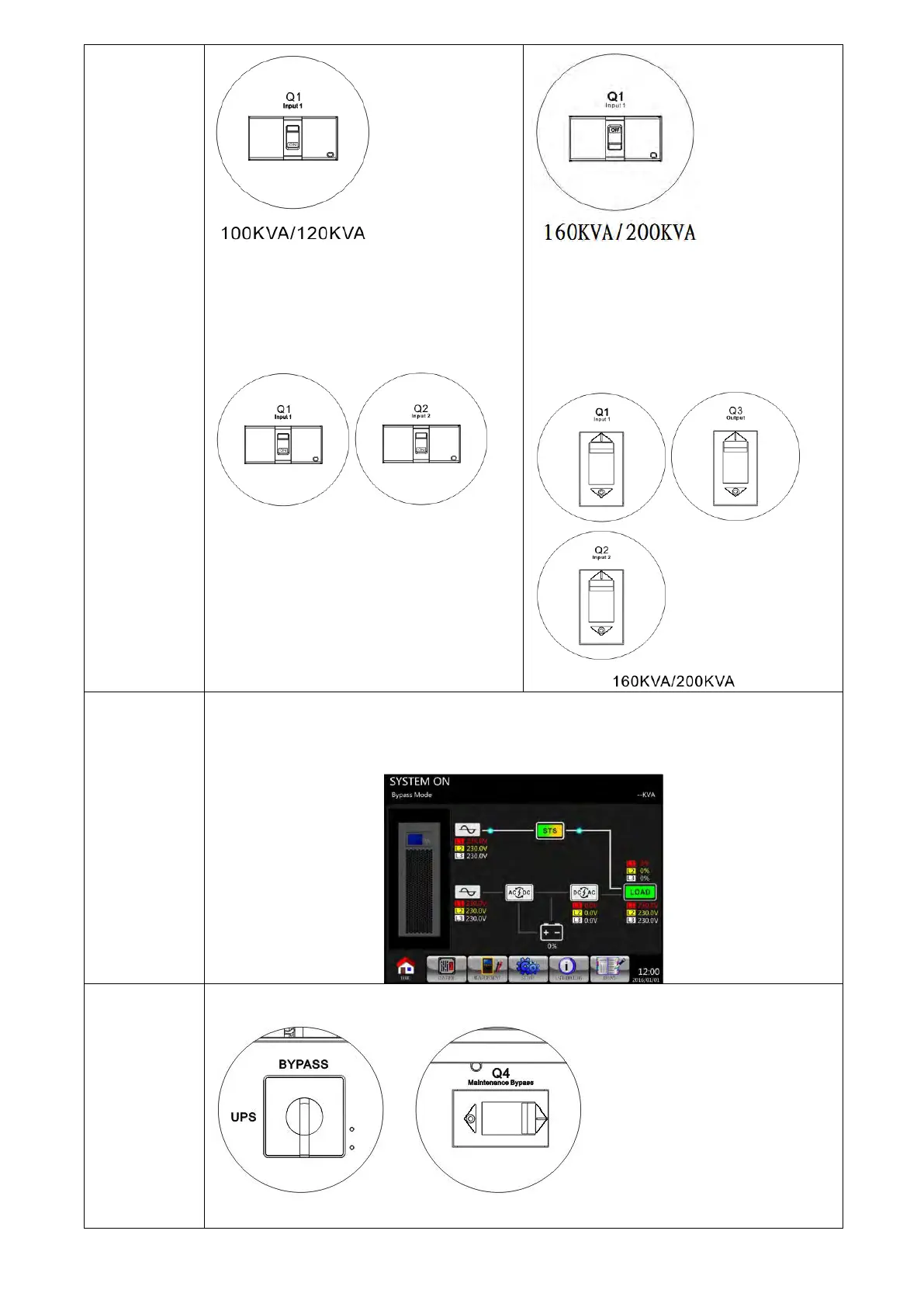
Dual input model :
Switch ON the Input1 Breaker (Q1) and
Input2 Breaker (Q2) as shown below.
100KVA/120KVA
Dual input model :
Switch ON the Input1 Breaker (Q1),
Input2 Breaker (Q2) and Output Breaker
(Q3) as shown below
Please enter LCD SETUP MENU and choose “SYSTEM” to ensure that the “Bypass
mode” is enabled. If the “Bypass mode” is disabled, you have to set it “enabled”. Then,
exit the SETUP menu and check if the UPS operates in bypass mode.
Turn off maintenance bypass breaker as shown below.
100KVA/120KVA 160KVA/200KVA

 To Next Page
 Loading...







