INFOSEC UPS SYSTEM – 15, Rue du Moulin – 44880 Sautron – France – www.infosec-ups.com
Hot Line Tel : +33 (0)2 40 76 15 82 – fax : +33(0)2 40 94 29 51 – hotline@infosec.fr – 02 19 AA 59 203 07
The percentage of the battery capacity. Units 1%.
Temperature of external battery pack. Units 0.1℃.
Temperature of external battery pack through extra
communication card T1. Units 0.1℃.
Temperature of external battery pack through extra
communication card T2. Units 0.1℃.
Temperature of external battery pack through extra
communication card T3. Units 0.1℃.
Temperature of external battery pack through extra
communication card T4. Units 0.1℃.
3-2-5. Setup Screen
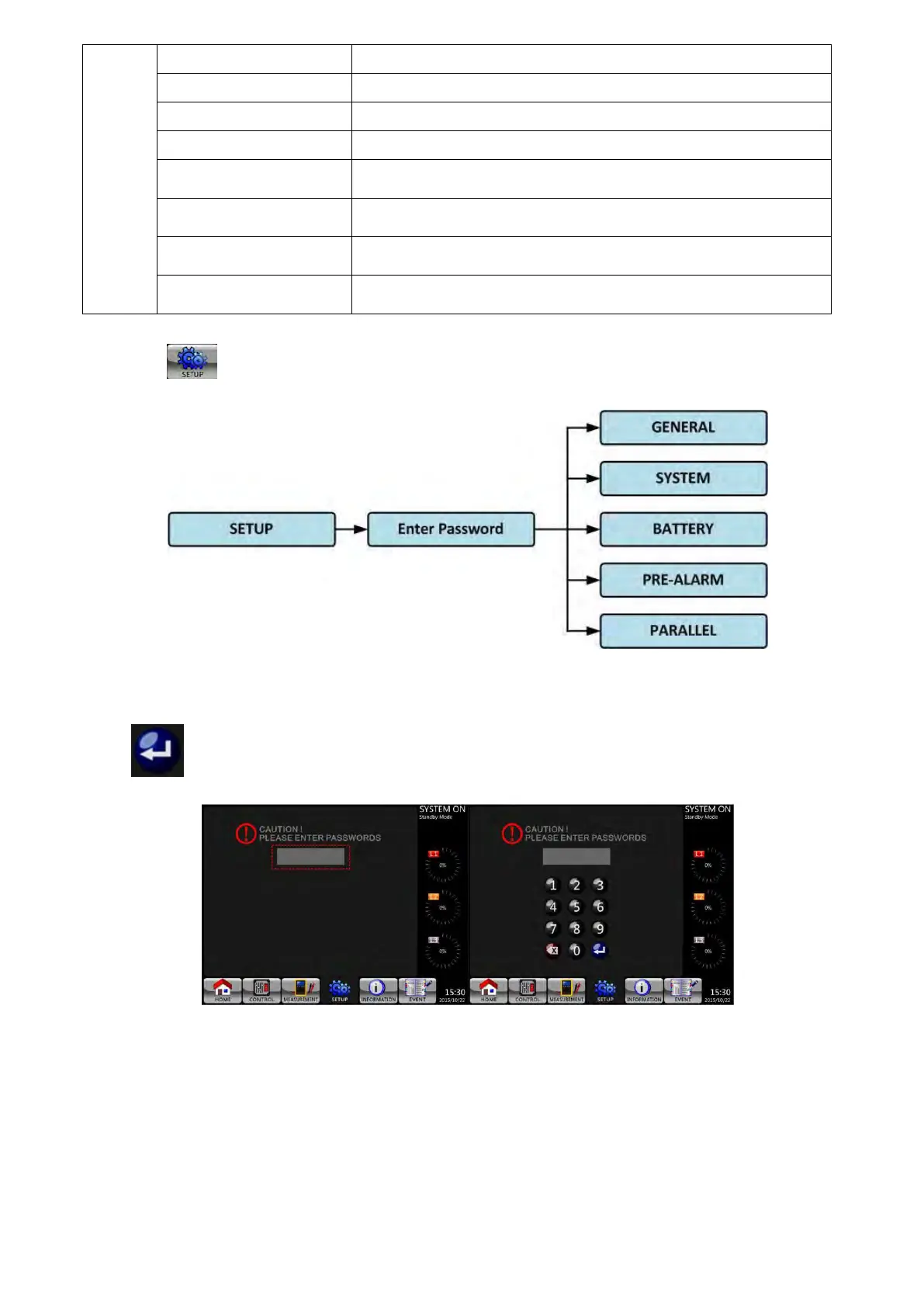
Touch the to enter into the Setup submenu. It requires a password to access the GENERAL,
SYSTEM, BATTERY and PRE-ALARM sub-menus as shown below. The default password is “0000”.
Setup Menu
Touch the grey column and you will be prompt with a number keyboard. Please enter 4-digit password and
press to enter SETUP sub-menu. If incorrect password is entered, you may retry.

 To Next Page
 Loading...







