INFOSEC UPS SYSTEM - 4, rue de la Rigotière – 44700 Orvault – FRANCE - www.infosec.fr
Hot Line: tel : + 33 (0)2 40 76 15 82 - fax : + 33 (0)2 40 94 29 51 - hotline@infosec.fr - 09 05 04 205 12
74
1. When the UPS is running in BATTERY mode, the alarm beeps once every 4 seconds. If you press
the “ON”
button on the front panel for more than 1 second again, the alarm will stop beeping
(silence mode). Press the “ON”
button once again for more than 1 second to resume the alarm
function.
2. When the battery capacity decreases, the number of the “BATTERY CAPACITY” leds turned on
decreases. If the battery voltage keeps decreasing and reaches “LOW BATTERY” level, the alarm
will beep once every second to remind the user the battery capacity is low and the UPS is soon
going to shut down automatically. Then all operations and programs should be quickly saved and
connected loads disconnected one by one.
15.3 Bypass mode
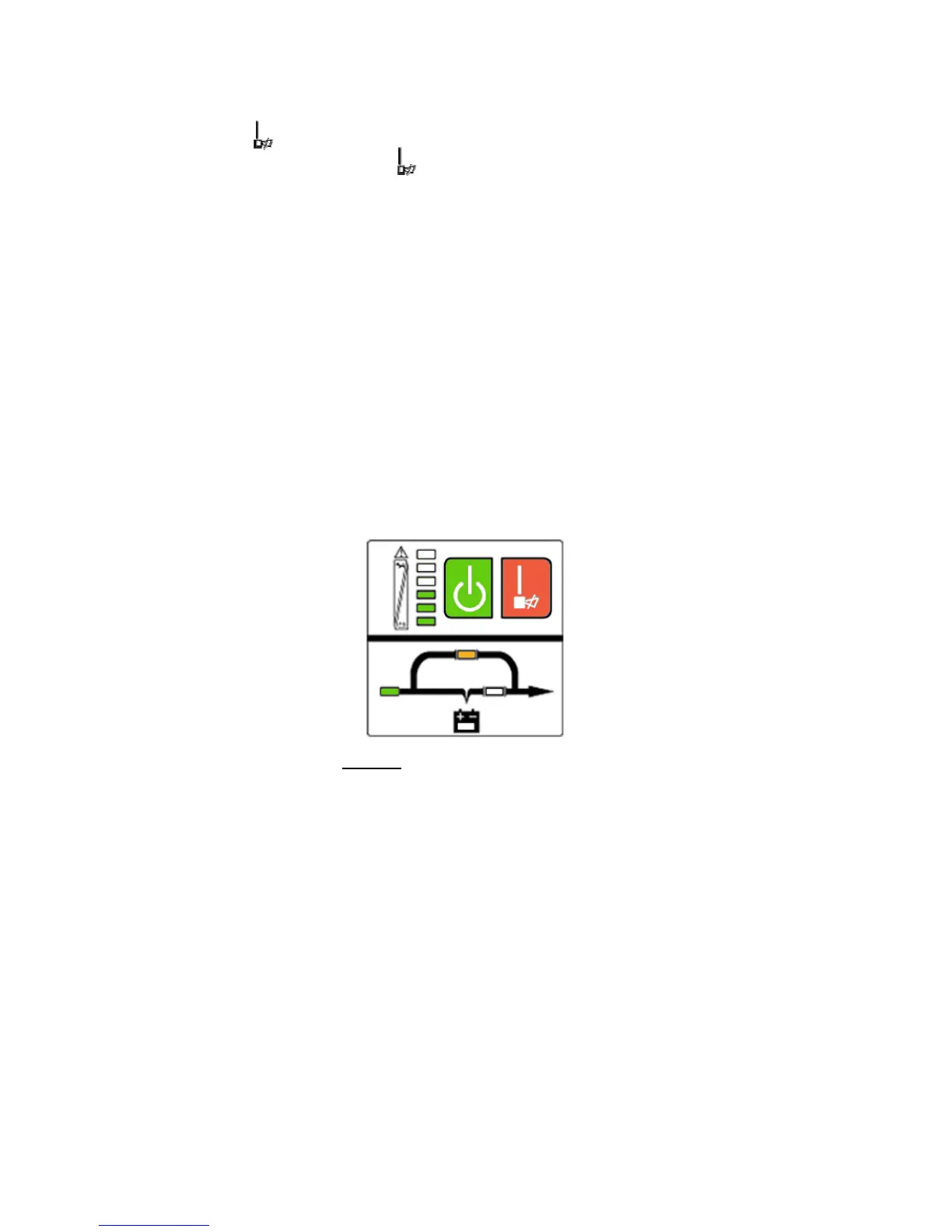
The “ON LINE” led and the “BY-PASS” led are lit up. “LOAD” leds (6 to 2) will light on in accordance with
connected loads. The alarm will beep once every 2 minutes in BY-PASS mode (Fig 15.3).
The “ON LINE” led flashes: it shows the voltage or frequency of the utility power has exceeded the normal
range of the UPS.
1. Other indications on the display panel are the same as in UTILITY mode.
2. In BY-PASS mode there is no backup time function. Connected equipments are directly
mains-operated via an internal filter.
15.4 Fault mode
The FAULT led lights up while the UPS is running: please refer to chapter 14: “Trouble shooting”.
Fig 15.3:
UPS bypass mode diagram













 To Next Page