INFOSEC UPS SYSTEM - 4, rue de la Rigotière – 44700 Orvault – FRANCE - www.infosec.fr
Hot Line: tel : + 33 (0)2 40 76 15 82 - fax : + 33 (0)2 40 94 29 51 - hotline@infosec.fr - 09 05 04 205 12
76
17 Software for all models
17.1 Free Software Download – UPSurf-Control
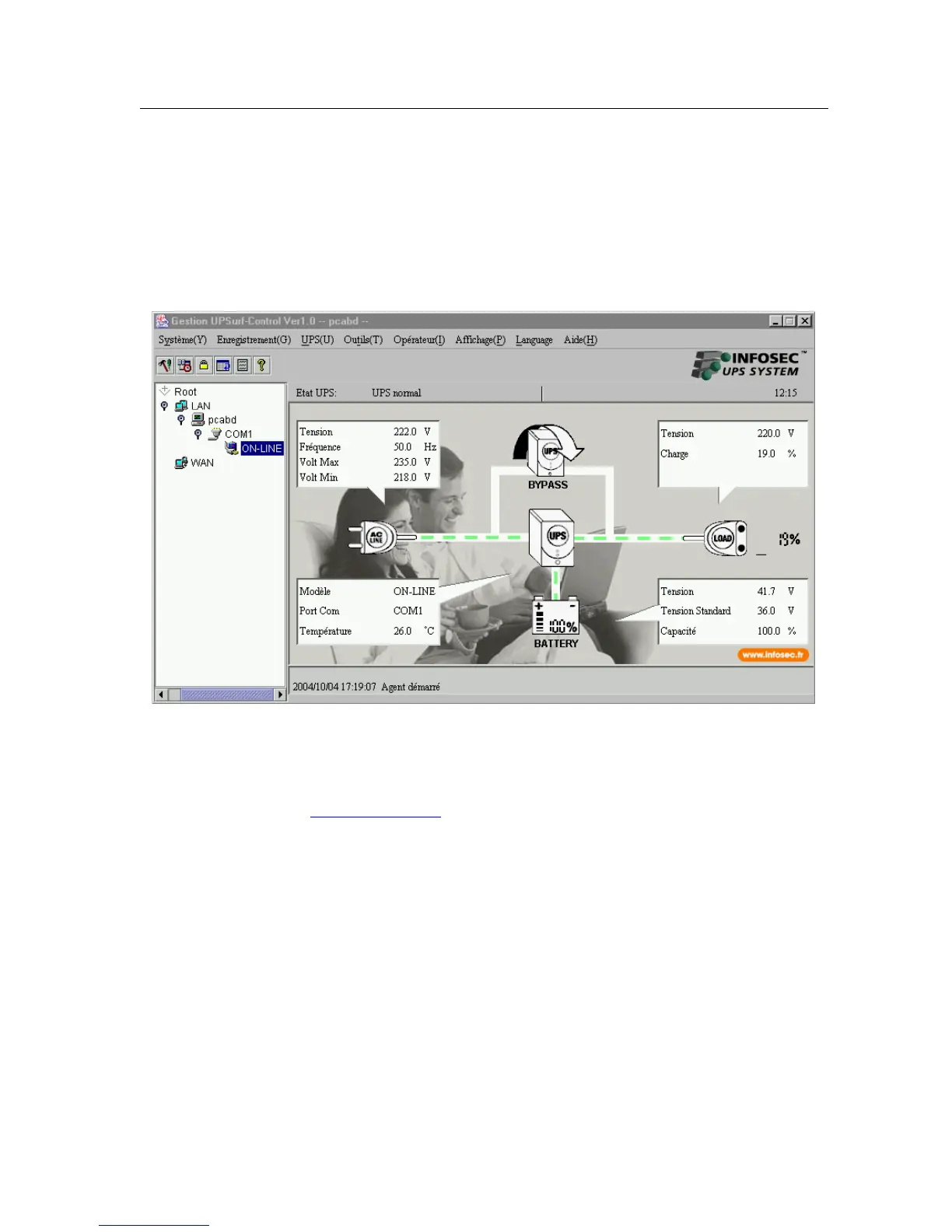
UPSurf-Control is a new UPS monitoring software which provides user-friendly interface to monitor and
control your UPS. This unique software provides safely auto shutdown for multi-computer systems. With
this software, users can monitor and control any UPS on the same LAN no matter how far from the UPS.
17.2 Installation procedure
If the CD-Rom is not provided with the UPS, please follow the instructions here below:
1. Go to the website: http://www.infosec.fr
2. When downloading all required files from the internet to install the software, enter the serial No:
511C1-01220-0100-478DF2A.
When your computer starts again, the UPSurf-Control software will appear as a green plug icon located in
the system tray, near the clock.













 To Next Page