Programming the SmartLink-GP 41
Programming manual
3.10.6 Implement constraint after event
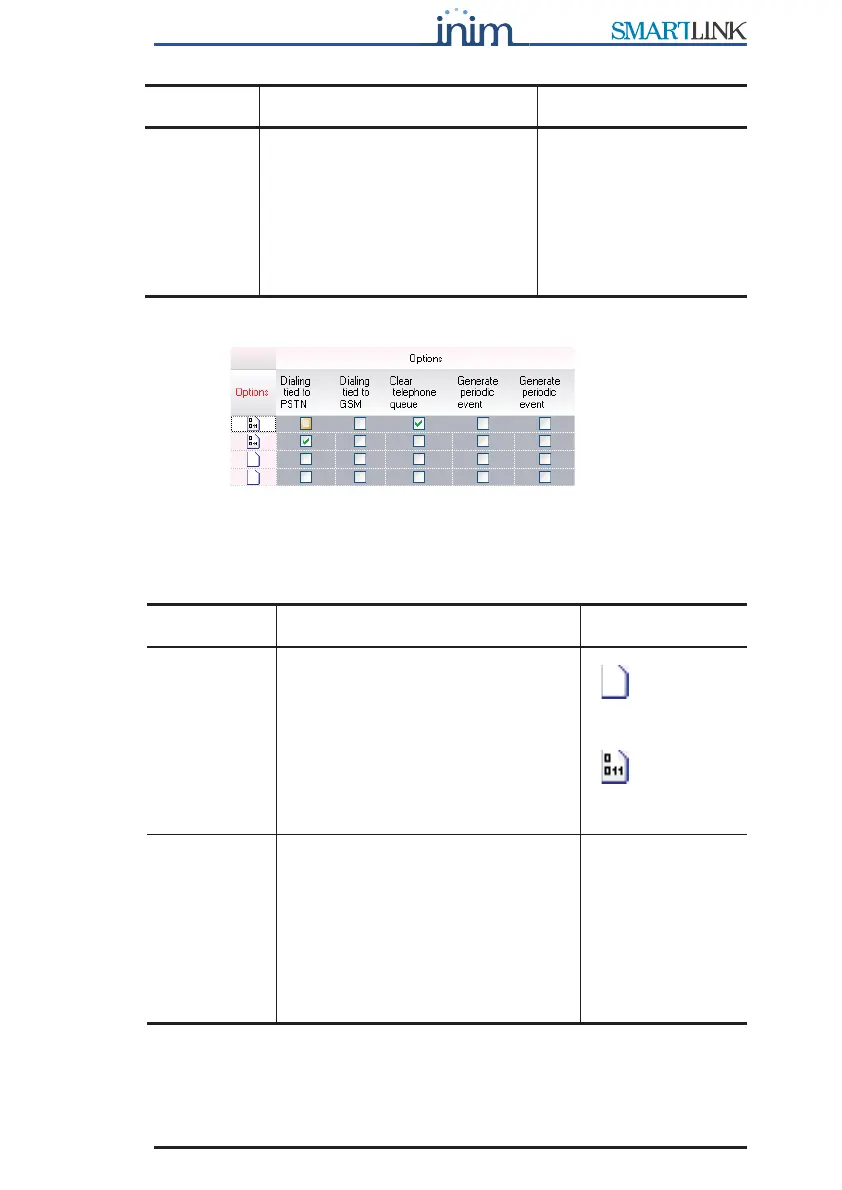
Figure 13 - Events table - Constraint
Each event can implement constraint and generate commands. For
example, a No GSM Service event will switch dialing to the land line
(PSTN).
OFF Check boxes corresponding to
the Inputs/Outputs configured in
the Outputs table. If selected,
they will deactivate the
respective output. The output
description appears when you
mouse over the respective
number on the tooltip bar.
Deactivation of a pulse
output ends any
ongoing pulse signal,
otherwise, it has no
effect.
Parameter Description Note
Options Folder containing Constraint
parameters. Double click to open:
columns containing the successive
parameters will appear. Double click
to close.
=no
parameter has
been set
=some
parameters have
been set.
Land line
(PSTN)
constraint
If selected, all outgoing calls (voice
messages and Contact ID reports)
generated by the event will be sent
on the land line (PSTN), thus
ignoring the SmartLink-GP reserve
line feature and GSM network
priority option.
If this option is
selected, the
device will be
unable to make
any calls
associated with
the event during
'land-line down'
conditions.
Parameter Description Note



 To Next Page