56 Programming the SmartLink-GP
Programming manual
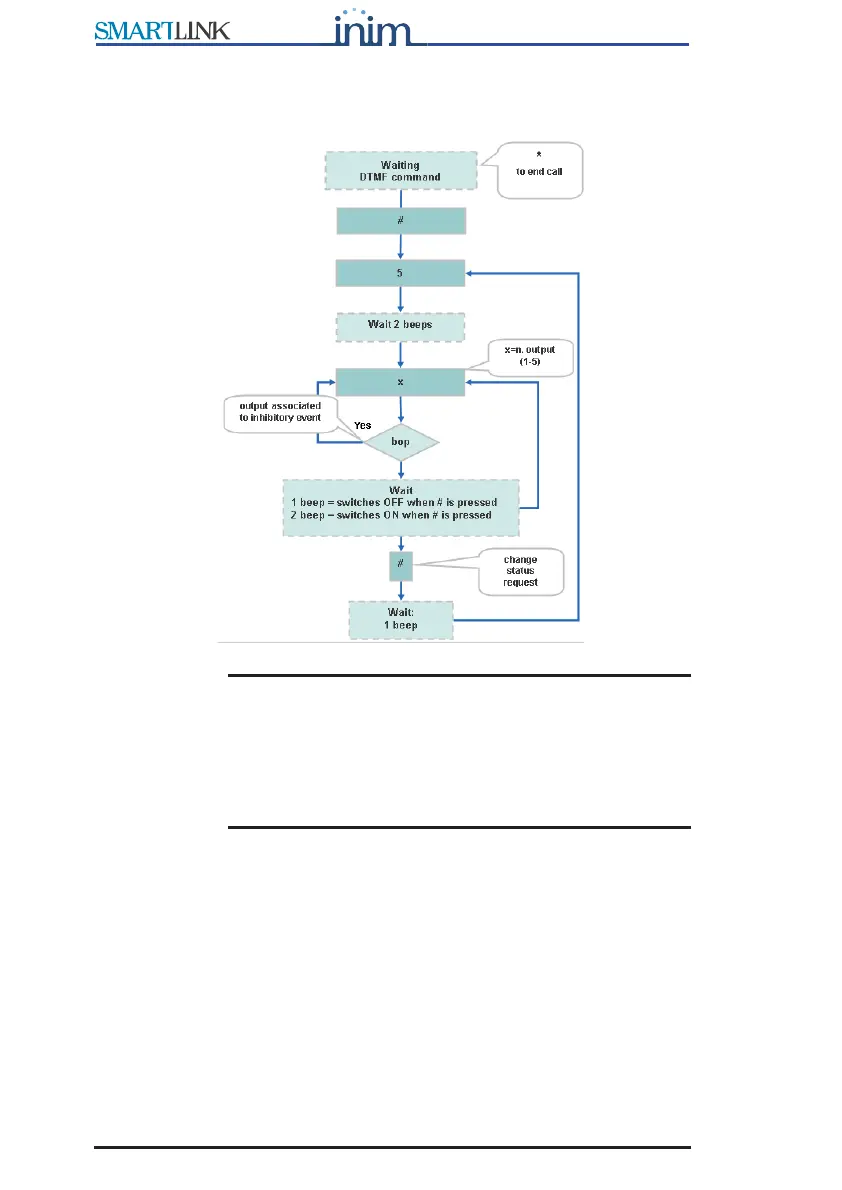
3.14.4 Activating outputs (#5)
After initializing the menu, type in “#5”:
Note: The output will not change status when you press the
number key, but when you press # to confirm the
operation. If an output has already been associated with
one of the events included in Appendix D , it cannot be
used as a command outputInhibit events for output control
If you attempt to command the output, the device will emit
an audible error signal bop.
3.14.5 Clear call queue and end ongoing call (#0)
After initializing the menu, type in “#0”: the device will end the ongoing call
and cancel the calls in the queue.
3.14.6 End ongoing call
After initializing the menu, type in ‘*’: the device will end the ongoing call.
3.14.7 Go back to main menu
After initializing the menu, type in ‘#’: the device will get ready to receive
other DTMF tone commands.



 To Next Page