Chapter 2 Installation 18
Note: Check and make sure the remaining battery capacity is 20% or greater
before splicing. If the battery capacity is less than 20%, please use AC / DC
adapter to power the splicer. Heat will be generated during the charging
process. Do not stack the battery on top of AC / DC adapter while charging.
How to check remaining battery capacity
You have two ways to check remaining battery capacity.
•
If the battery is connected to the splicer, its charging level appears on the top
right corner of the monitor.
•
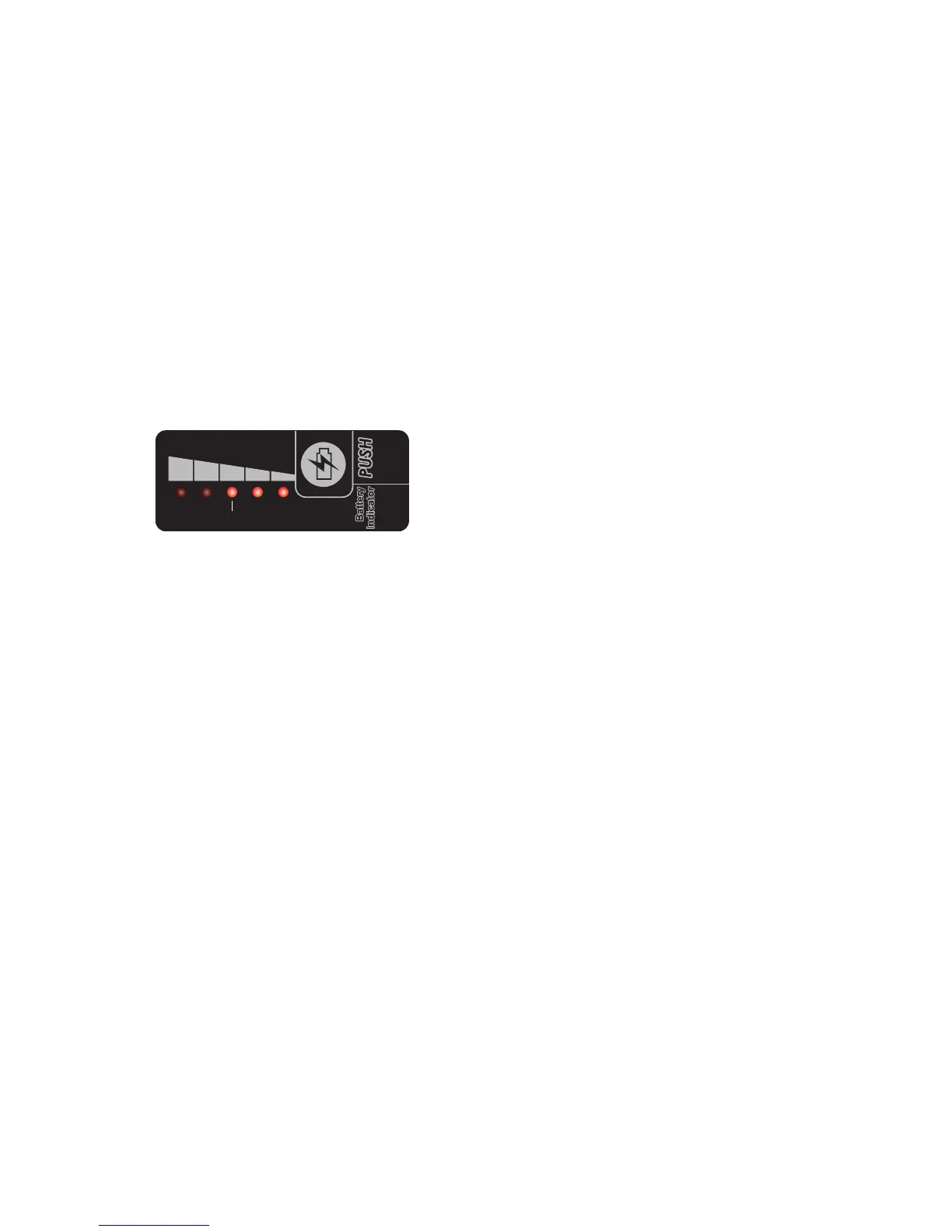
If the battery is detached from the splicer, press “PUSH” button on the battery.
Then the battery capacity will be indicated by LEDs as shown below:
Battery refresh
In order to prevent the aging effect of the battery, the battery needs to be refreshed
periodically. Turn the splicer on and discharging until it consumes all the battery
capacity and the splicer turns off automatically. Fully recharge the battery and redo
discharging.
100% 80% 60% 40% 20%
LED


 To Next Page