Chapter 8 Other Functions & Utilities 42
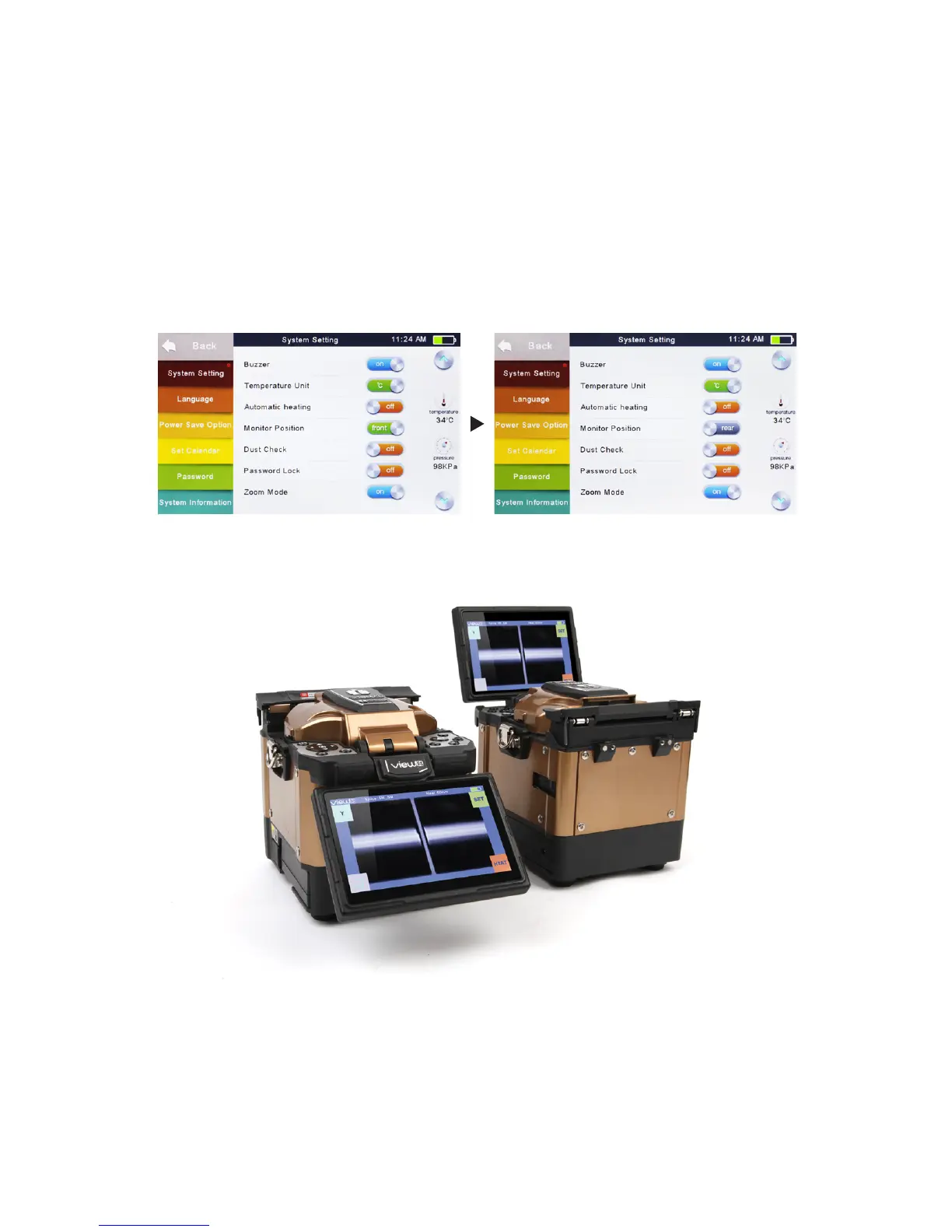
Monitor Position
The direction of the splicer display before shipping from the factory is set to
“Front”, but users can change it to “Rear”. When [Monitor position] is changed, the
direction of the arrow keys is reversed.
Changing monitor position
•
Select [Monitor Position] in [System Setting] menu.
•
Select the desired monitor position (front/rear).
Note: Press ▲ or ▼ buttons to swift the monitor position quickly on
Workbench.


 To Next Page