Chapter 7 Maintenance Menu 39
•
The splicer will show up two values on the screen after each arc calibration. If
the value shown on the right-hand side meets 11±2, the message “Operation
Complete” will be shown on screen. Otherwise, set prepared bers on the splicer
again and redo arc calibration until the message “Operation Complete” is
displayed.
Electrode setting
Set the electrode change warnings. INNO Instrument recommends replacing the
electrodes every 3500 discharge to ensure the best splice results.
•
Select [Electrode Setting] in [Maintenance Menu].
•
Set the electrode caution and electrode warning.
Update software
•
Select [Update Software] in [System Setting].
•
Connect the USB driver with the copy of upgrade les to the USB port.
•
Press “OK”, and then the splicer will process the update automatically. Upon
completion, the splicer will restart automatically.
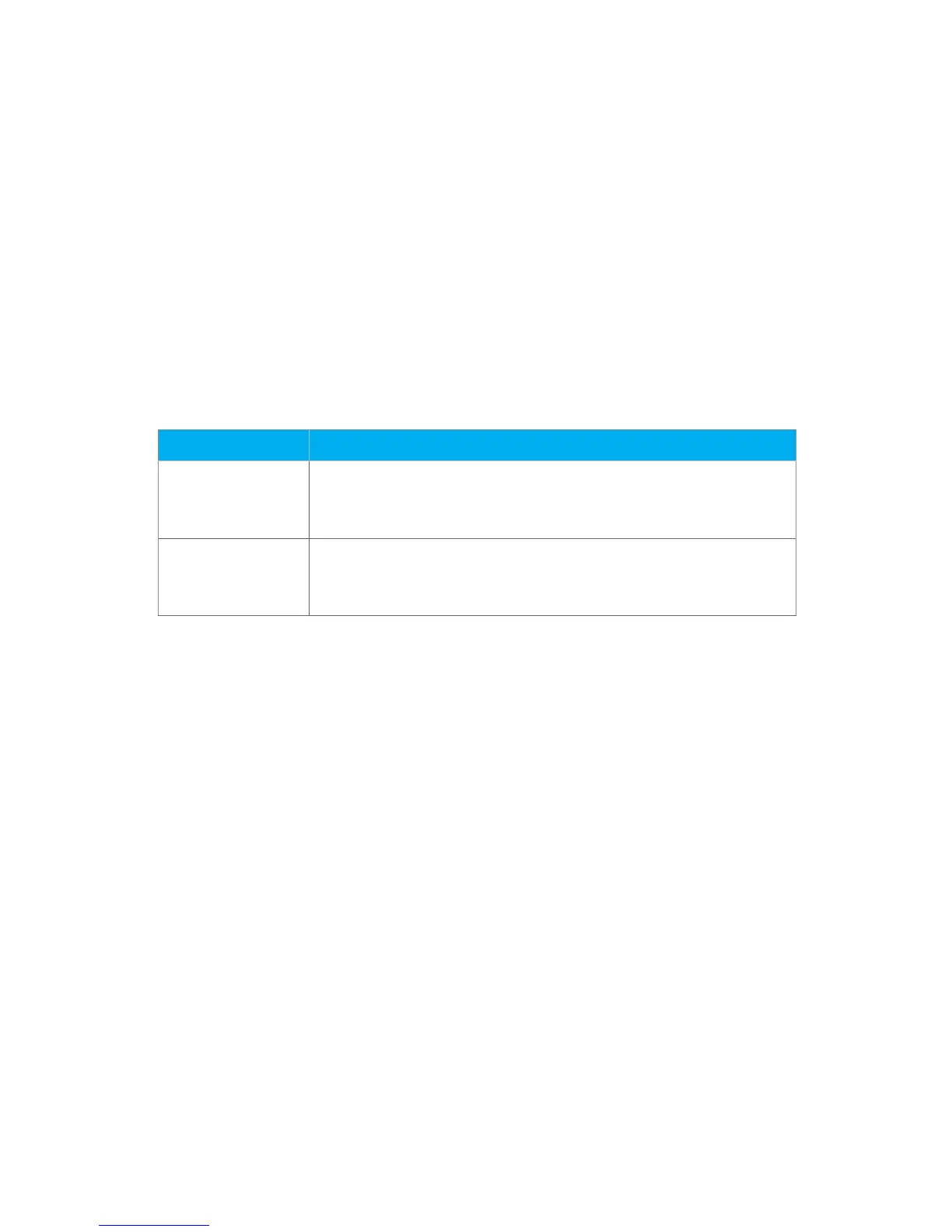
Parameter Description
Electrode Caution If actual arc discharge exceeds the set value, a message “Caution! Replace
Electrodes” is displayed when turning on the splicer. INNO Instrument
recommends that this parameter should be set to “3500”.
Electrode Warning If actual arc discharge exceeds the set value, a message “Warning! Replace
Electrodes” is displayed when turning on the splicer. INNO Instrument
recommends that this parameter should be set to “5000”.


 To Next Page