Repeater Operation
Canceling the repeater
function
Set the frequency to
match
that of the repeater
Station
1)
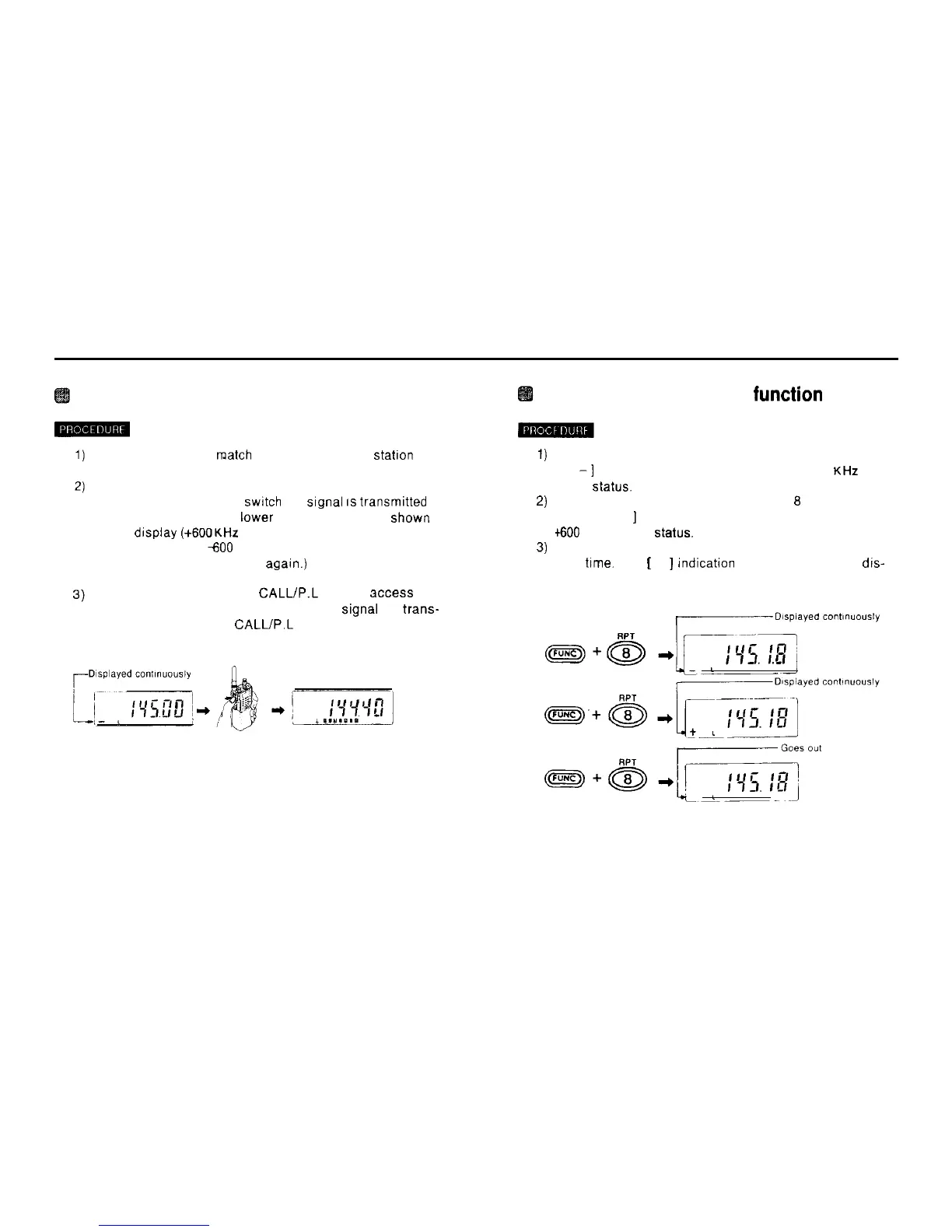
Hold down the FUNC key and press the 6 RPT key
When you press the PTT
swrtch
the
Signal
IS
transmrtted
at a frequency -600 KHz lower than the frequency shown
on the drsplay
(+600KHz
offset).
(To transmit with a
600
KHz offset, hold down the FUNC
key and press the 8 RPT key
agarn.)
2)
3)
While transmitting, press
CALL/P.L
key to access the
repeater Station. (The 1.750 KHz burst Signal is
trans-
mitted only while the
CALL/P.L
key is depressed.)
Hold down the FUNC key and press the 8 RPT key.
A [
-1
appears on the display. indicating -600
KHZ
offset
Status.
Hold down the FUNC key and press the
6
RPT key once
again. A [ +
]
appears on the display, indicating
dO0
KHz offset
Status.
Hold down the FUNC key and press the 8 RPT key a
third
ttme.
The
[
+
]
indication disappears from the dis-
play and the repeater mode is canceled.
17



 To Next Page