.
.
A dditional Func tions
(Funchons Accessed
in
the Set Mode by Holding Down the FUNC Key and
Pressung
Another Key)
All reset
n Perform the following
Steps
to restore the factory settrngs
Thrs
functron
tan
be used to erase all memory entrres or to
restore normal
Operation
rf
repeatedly
swrtchrng
the power
on and off
IS
not sufficrent
Swatch
to the set mode
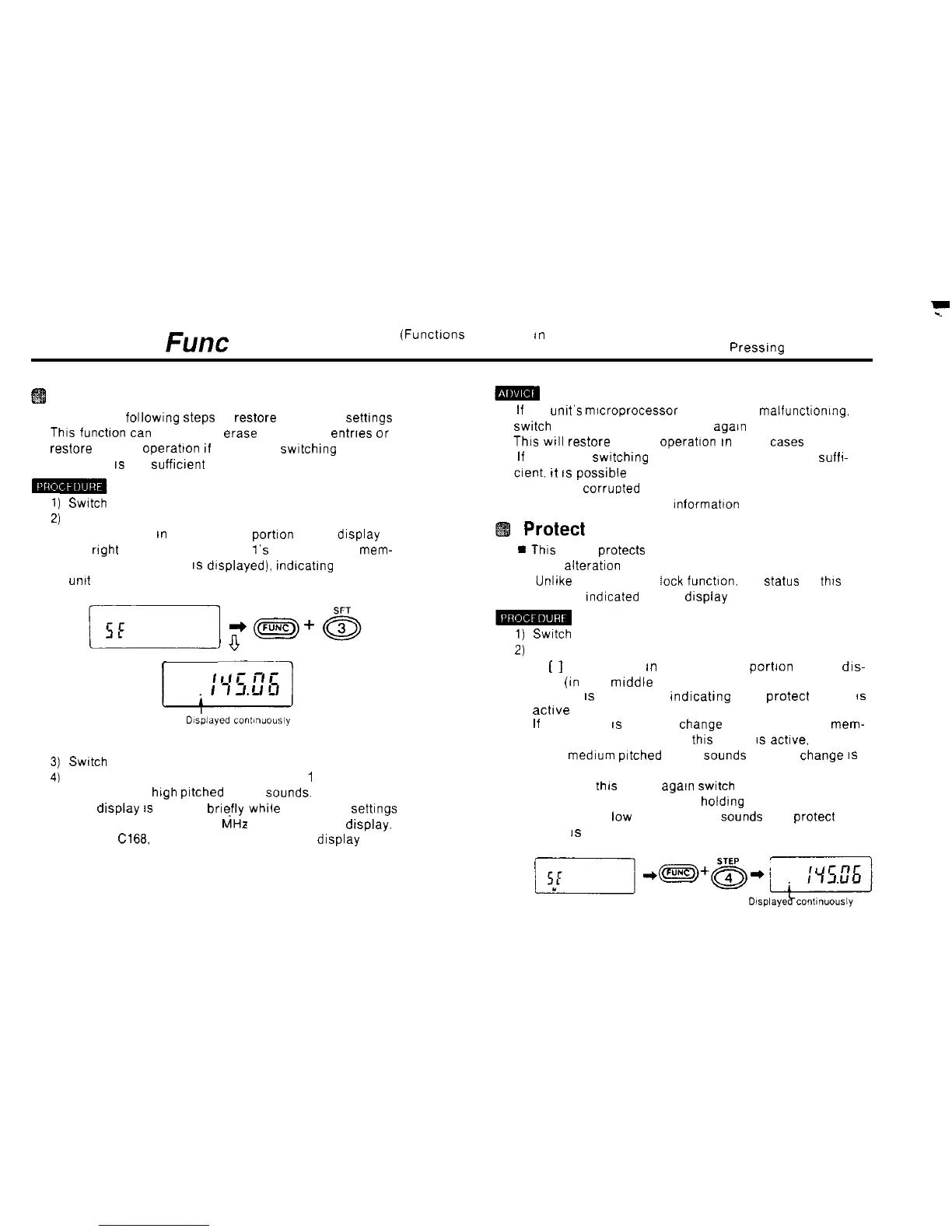
Hold down the FUNC key and press the 3 SFT key
A dot appears
tn
the lower left
portron
of the display (to
the
rrght
and below where the
1’s
column of the
mem-
ory address number
IS
dtsplayed).
rndtcatrng
that the
unrt
is ready for all reset.
(1)
If
the unit’s microprocessor seems to be malfunctronmg.
swrtch
the power off and then on
agarn
Thrs
WIII
restore normal
Operation
rn
most
cases
(2)
If
repeatedly swrtching the power on and off is not
suffr-
crent.
tt
IS
possrble
that the contents of the unit’s memory
have been corrupted Perform all reset
Refer to page 61 for more Informatton
Protect
mode
*
This
mode protects most of the contents of memory
from alteration
n Unltke the frequency
leck
funchon. the
Status
of
thrs
mode is
rndicated
on the display
1)
Swatch
to the set mode
‘V
2j
r
-7
Switch
to the set mode
Hold down the FUNC key and press the
1
PO key
No pip (short
high
prtched
beep)
Sounds.
The drsplay
IS
blanked brrefly while the factory settrngs
are restored, then 433.00
MHz
appears on the dtsplay.
(On the
Cl66
146.00 MHz appears on the display )
3)
51
Hold down the FUNC key and press the 4 STEP key
A
[
]
dot appears
rn
the lower left portron of the dis-
play
(in
the mrddle of where the memory address
number
IS
displayed),
indicattng
that protect mode
IS
acttve
If
an attempt
IS
made to
Change
the contents of a
mem-
ory address number when this mode
IS
actrve.
a boo
(long
medrum
prtched
beep)
Sounds
and the
Change
IS
not allowed
To cancel
thrs
mode.
agarn
swrtch
to the set mode and
press the 4 STEP key while
holdrng
down the FUNC key.
A puff (short
low
pitched beep)
Sounds
and protect
mode
IS
canceled.



 To Next Page