Using the
scan
functions
(1) Using VFO scan
(1) 1 MHz
scan
In the VFO
mode.
hold ddwn the FUNC key and press
the # CLPS key.
The dectmal polnt on the display flashes on and
Off
to
Indlcate
scan
Operation
3)
(
u
(2)
Full
band
scan
C-J
Flashes
1) Press the CALL key. (The
cal1
mode is activated.)
2) Hold down the FUNC key and press the # CL PS key
The decimal Point on the display flashes on and off to
Indicate full band
scan
operatlon.
5)
--“-T!zb
(3)
Program
scan
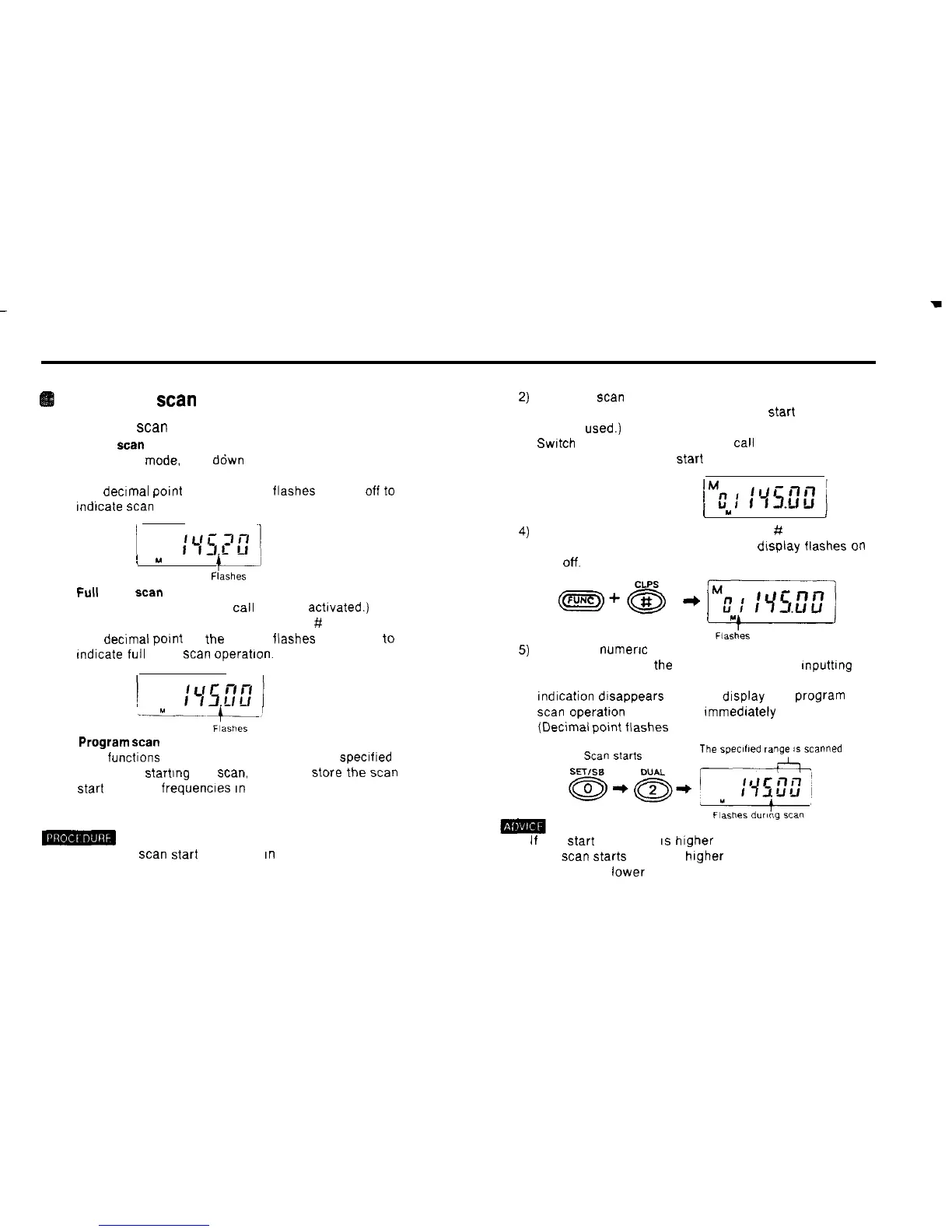
This functions scans a range of frequencies specified by
you Before startlng the
scan,
you must store the
scan
Start
and end frequencles
in
memory
Store the
scan
end frequency in memory. (Any memory
address number other than that of the
Start
frequency
may be
used.)
Swatch
to the memory mode and
cal1
up the memory
address number of the
Start
frequency.
(
Y
i
Hold down the FUNC key and press the # CL PS key
The memory address number on the dlsplay flashes
on
and
off.
Press the
numerx
keys corresponding to the memory
address number of the end frequency. After Inputting
the number (two digits). the memory address number
Indlcation dtsappears from the display and program
scan
operatton commences Immediately
(Declmal polnt flashes )
The
speclfled
range
is
scanned
-
1) Store the
scan
Start
frequency
In
memory (Any memory
address number may be used )
. If the
Start
frequency
IS
higher than the end frequency.
the
scan
Starts
from the higher frequency and proceeds
towards the lower
35



 To Next Page