EasyManua.ls Logo

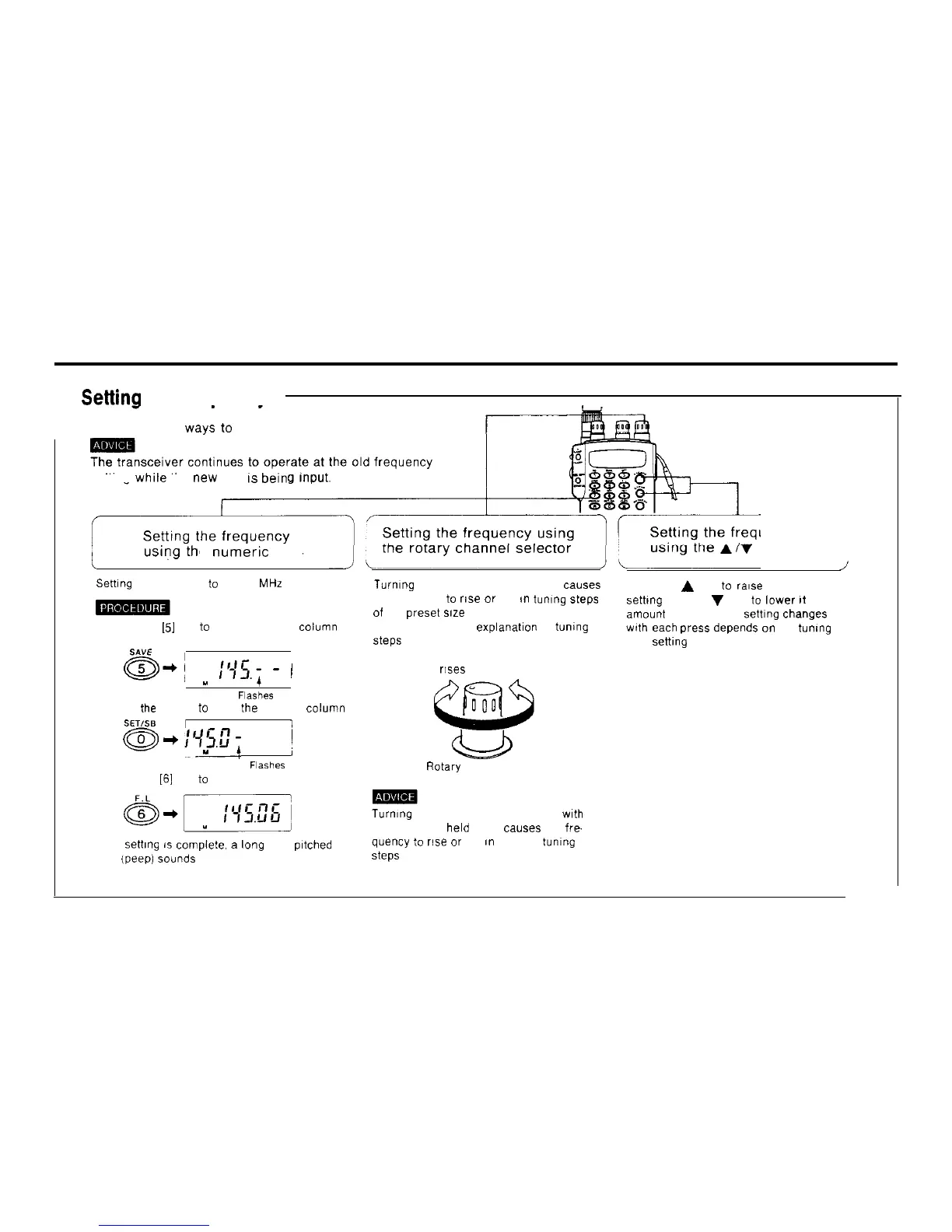
Intek KT-355EE - Frequency Setting Methods; Setting Frequency Using Numeric Keys; Setting Frequency Using Rotary Selector; Setting Frequency Using Arrow Keys

Intek KT-355EE
66 pages
Print Icon
To Next Page IconTo Next Page
To Previous Page IconTo Previous Page
Loading...
5
Settinn
the frequencv
n There are three
ways
to
set the frequency
setting
while
the
new
one
IS
bein
e
numeric
keys
uency
keys
Setting the frequency
to
145.06 MHz
1) Press the
151
key
to
Input the 1 MHz column
SAVE
a-j
u
111’5.;
-
!
Flashes
2) Press
the
[0] key
to
Input the 100 kHz
colum”
SET/%
a-i
1
:95.E?
j
Y
FI%hEZ
3) Press the
[6]
key
to
Input the 10 kHz column
When
settlng is
compiete.
a
lang high pltched
beep (peep) Sounds
Turmng the rotary channel selector
causes
the frequency
to
rise
or
fall
m
tuning steps
of the
preset
size
See page 46 for an explanat~on of tumng
Steps
Frequency r!ses
Frequency falls
Rotary channel selector
Turnlng the rotary channel selector
wth
the FUNC key held down
causes
the fre-
quency
to
rise
or
fall
I”
100 kHz tumng
Steps
Press the
A
key
to
rase
the frequency
setting and the
V
key to
lower
It
The
amount the frequency settlng changes
wth
each press depends on the tuning
step
sett1ng
5

Related product manuals