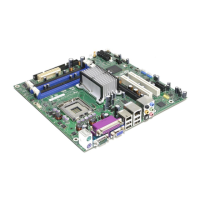
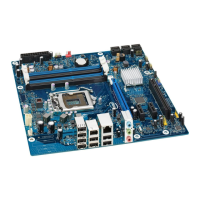
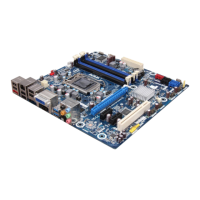
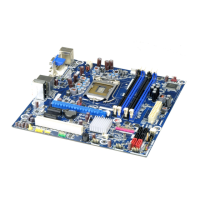
Intel Desktop Board D945GCCR Technical Product Specification
vi
2.5 Interrupts ...................................................................................... 46
2.6 PCI Conventional Interrupt Routing Map ............................................. 47
2.7 Connectors and Headers................................................................... 48
2.7.1 Back Panel Connectors .......................................................... 49
2.7.2 Component-side Connectors and Headers ................................ 50
2.8 Jumper Block .................................................................................. 58
2.9 Mechanical Considerations ................................................................ 60
2.9.1 Form Factor......................................................................... 60
2.9.2 I/O Shield ........................................................................... 61
2.10 Electrical Considerations................................................................... 62
2.10.1 DC Loading.......................................................................... 62
2.10.2 Add-in Board Considerations .................................................. 62
2.10.3 Fan Header Current Capability................................................ 63
2.10.4 Power Supply Considerations ................................................. 63
2.11 Thermal Considerations.................................................................... 64
2.12 Reliability ....................................................................................... 66
2.13 Environmental ................................................................................ 67
3 Overview of BIOS Features
3.1 Introduction ................................................................................... 69
3.2 BIOS Flash Memory Organization....................................................... 70
3.3 Resource Configuration .................................................................... 70
3.3.1 PCI Autoconfiguration ........................................................... 70
3.3.2 PCI IDE Support................................................................... 71
3.4 System Management BIOS (SMBIOS)................................................. 71
3.5 BIOS Updates ................................................................................. 72
3.5.1 Language Support ................................................................ 72
3.5.2 Custom Splash Screen .......................................................... 72
3.6 Legacy USB Support ........................................................................ 73
3.7 Boot Options................................................................................... 73
3.7.1 CD-ROM Boot ...................................................................... 73
3.7.2 Network Boot....................................................................... 73
3.7.3 Booting Without Attached Devices........................................... 74
3.7.4 Changing the Default Boot Device During POST ........................ 74
3.8 Adjusting Boot Speed....................................................................... 75
3.8.1 Peripheral Selection and Configuration..................................... 75
3.8.2 BIOS Boot Optimizations ....................................................... 75
3.9 BIOS Security Features .................................................................... 76
4 Error Messages and Beep Codes
4.1 Speaker ......................................................................................... 77
4.2 BIOS Beep Codes ............................................................................ 77
4.3 BIOS Error Messages ....................................................................... 77
4.4 Port 80h POST Codes ....................................................................... 78



 To Next Page