Intel
®
Ethernet Network Adapter E810-CQDA2T
User Guide
44 722960-002
5.2.2 Software Configuration
Before proceeding, it is recommended to set all SDP pins and U.FL to off (see Section 4.0).
1. Set interface device:
# export ETH=`grep 000f /sys/class/net/*/device/subsystem_device | awk -F"/"
'{print$5}' | head -n 1`
# export PCI_SLOT=`grep PCI_SLOT_NAME /sys/class/net/$ETH/device/uevent | cut -c
15-`
2. Make sure GNSS has an active connection: /dev/gnssX where X stands for the GNSS device
number.
# cat /dev/gnssX
$GNRMC,182805.00,A,0.0,N,0.0,E,0.082,,050321,,,D,V*14
$GNVTG,,T,,M,0.082,N,0.152,K,D*34
$GNGGA,182805.00,0.0,N,0.0,E,2,12,0.57,11.1,M,32.7,M,,0000*7D
$GNGSA,A,3,18,20,26,23,16,29,07,15,27,10,,,1.07,0.57,0.90,1*09
$GNGSA,A,3,81,79,72,82,80,78,65,88,87,,,,1.07,0.57,0.90,2*0C
$GNGSA,A,3,02,30,04,36,11,,,,,,,,1.07,0.57,0.90,3*0E
3. Run ts2phc:
# ethtool --set-priv-flags $ETH extts_filter on
# ./ts2phc -f configs/ts2phc-generic.cfg -s nmea -m
Note: You might want filter the 1PPS timestamps till the DPLL locked. See Section 4.13
Note: See Section 5.8, “Example ts2phc Configuration File”.
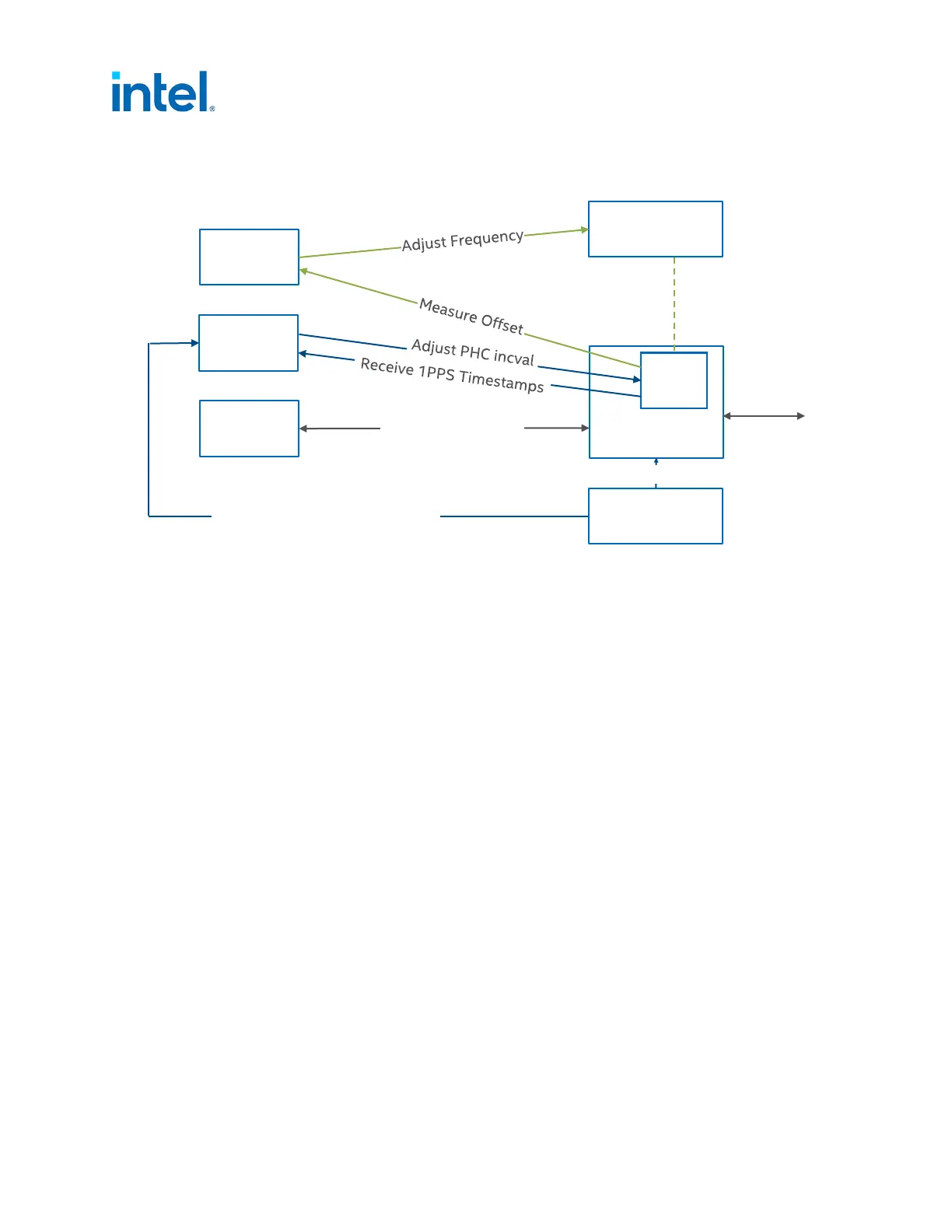
Figure 7. Linux Software Stack Overview: Single E810-CQDA2T Adapter with GNSS
Software Stack
Adapter
ptp4l
phc2sys
System Clock
PHC
Tx/Rx Timestamps
Network
ts2phc
GNSS
Time of Day (through serial port)
1PPS














 To Next Page