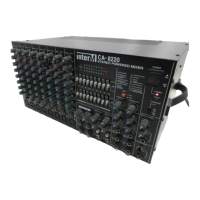
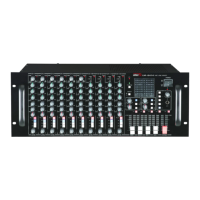
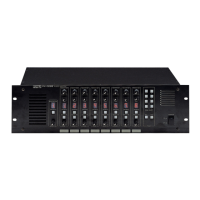
CA-8320 Powered Mixer
Basic Operation
Connecting Mics, Instruments and Devices
1. Switch off any powered instruments, mics, or devices before connecting to your
CA-8320. Also be sure to reduce all channel and main output levels before making
connections.
2. Connect cables to your mics, instruments, and devices before inserting the other end
firmly into the appropriate 3-pin low or 1/4” high impedance jacks on channels 1-6
Use the same procedure when connecting MIC or stereo line level devices into
channels 7 & 8.
For proper signal level, switch on the PAD switch when connecting line level devices
to channels 1-6 and please note the low and high impedance inputs cannot be used
simultaneously.
3. Switch devices on in the order they are connected to your CA-8320. Reverse the
order when switching power off.
4. Set the Main section’s Master control to the “” position.
5. To set correct input channel levels, adjust the Input Channel Level control so that the
“0” LED of the Main section’s peak level meter illuminates intermittently.
6. Rotate the Input Channel EQ knobs to change that channel’s tone.
7. Use the Main section’s Master control and Graphic EQ to adjust the overall volume
and tone.
Using The Built-In Digital Reverb
1. After setting levels and adjusting EQ, press the DSP ON switch in the DSP section.
2. Using the Effect Select switches in the DSP section, select a reverb most appropriate
for all the mics and/or instruments connected. Your three choices are:
S.HALL (small hall reverberation)
L.HALL (large hall reverberation)
VOCAL (reverb suitable for vocals)
3. Increase the Input Channel’s EFX control on the channels you want reverb, until the
desired amount of reverb is heard.
4. Using the Main/Monitor section’s EFX RTN knob, adjust the total amount of reverb
now returning from the built-in digital reverb.
NOTE: If the reverb’s sound is distorted even with the EFX RTN at minimum gain, you
will need to lower the EFX level of one or more channels.
20


 To Next Page